Diwali AI Photo Editing Prompts: Couple, Girl, Boy & Family Looks
Copy-paste Diwali couple AI photo editing prompts for Gemini and ChatGPT, plus girl, boy, family and baby looks that keep your real faces and skin tone.
Updated October 5, 2026 · AI Prompt Grid editorial
Quick answer: Upload a clear photo to Gemini or ChatGPT where every face is visible. Paste one of the prompts below and keep the line about preserving faces and skin tone. If anything drifts, fix it with a short follow-up message. These prompts are written to edit your real photo, so the result looks like you, not a stranger in a lehenga. You'll find couple prompts (including one for when you only have separate photos), girl and boy portraits, family and baby's-first-Diwali looks, plus versions for Diwali in Pakistan and abroad.
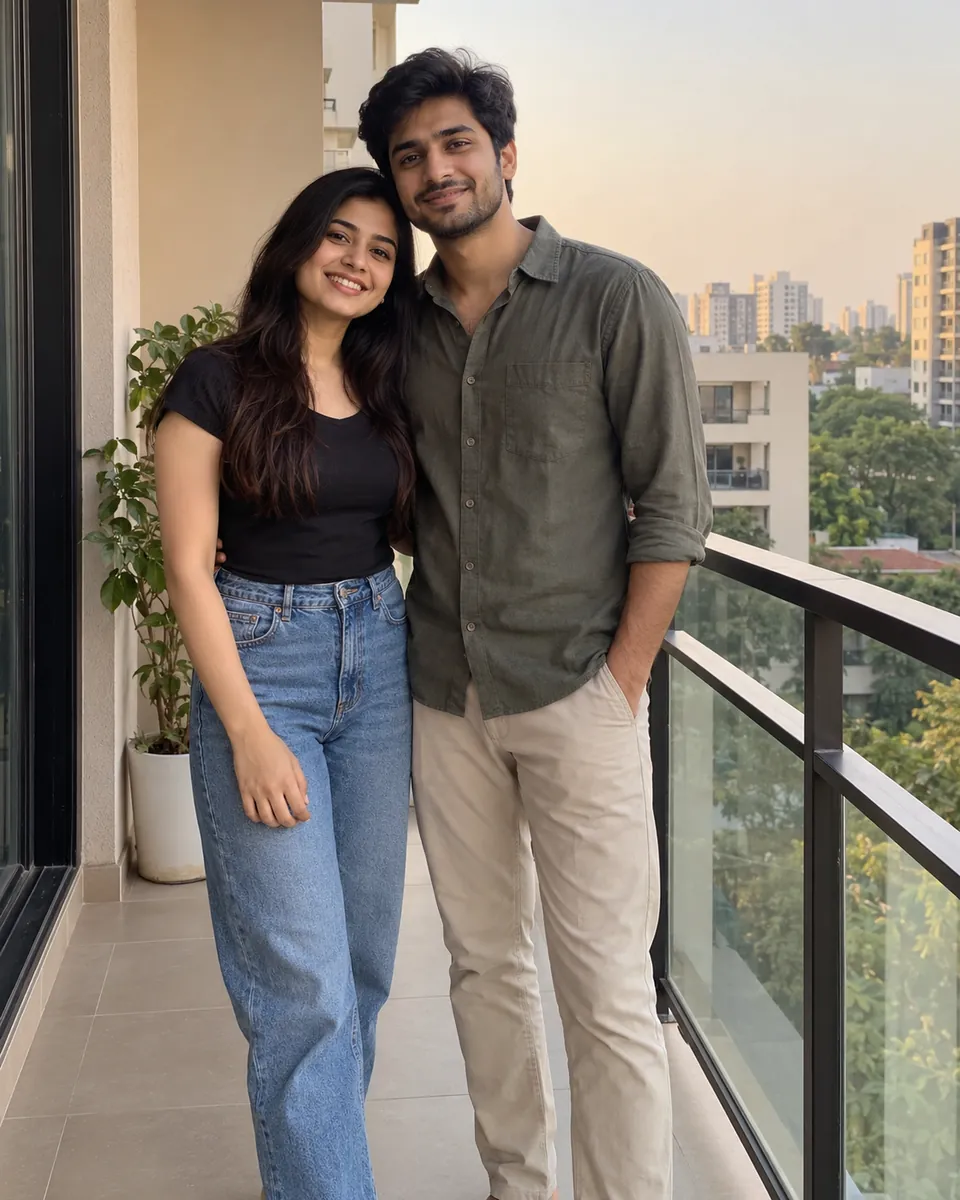
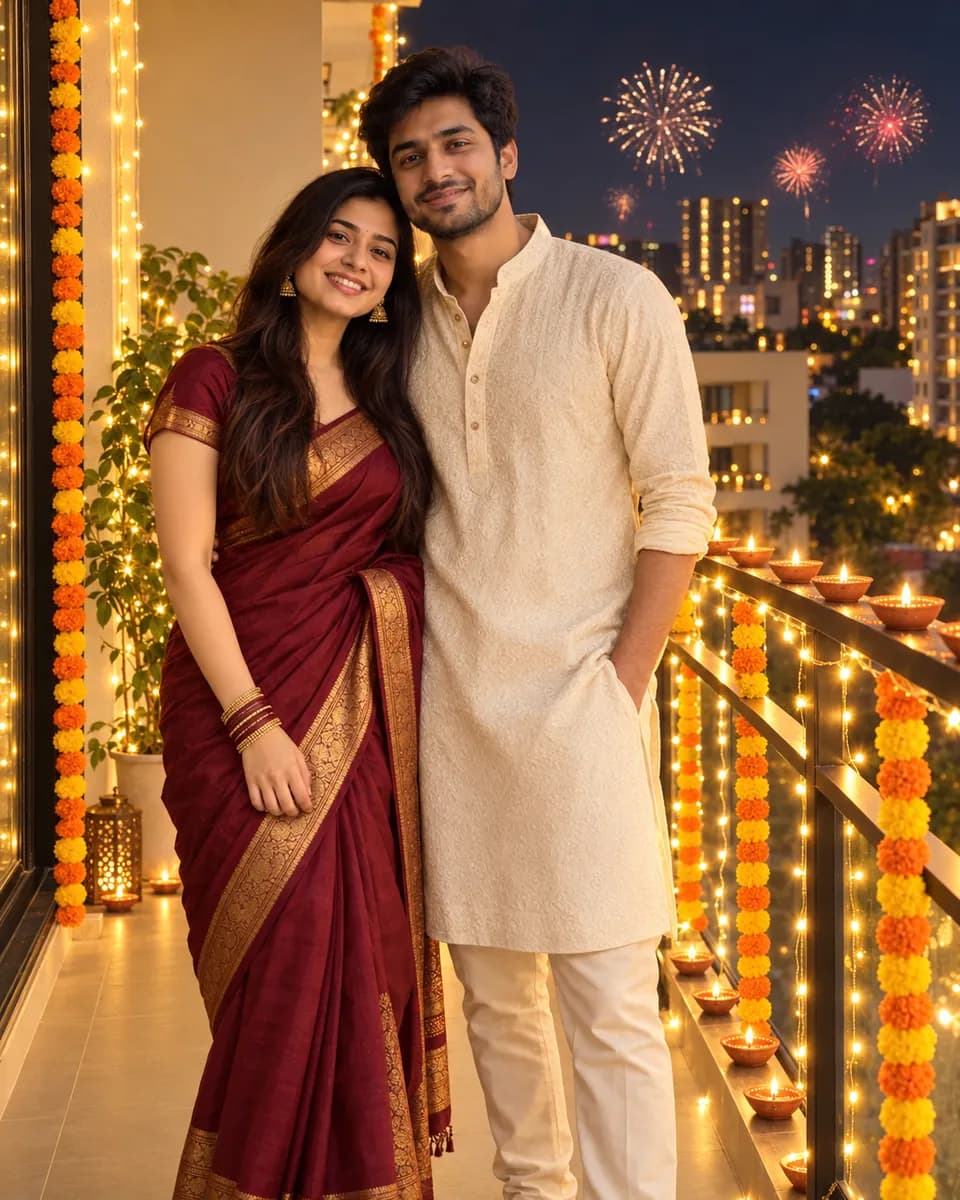
The people in the "before" photos are AI-generated, not real people. Every "after" image on this page is an AI edit made with the prompts below, tested in October 2026.
Why "editing" prompts work better than "generate" prompts
Some Diwali prompts describe a whole new scene ("a happy couple in a red saree in front of a temple…"). Paste those with your photo and the AI often treats your picture as loose inspiration. Faces change, skin tones shift, and you end up with a lovely couple who aren't quite you.
Every prompt here starts from your photo and says clearly what to change (clothes, setting, lighting) and what to keep (faces, skin tone, expressions, body shape). That one shift is the biggest difference between a result you'll post and one you'll delete.
Before you start
- Every face sharp and well lit. No sunglasses or heavy shadows. Daylight is best, and you can add the evening glow in the prompt.
- Faces not too small. If you're far away in the photo, crop closer first.
- Two to five people works best for groups. Bigger groups usually need more fixing.
- Only upload photos of people who agreed to it, and take extra care with children's photos.
Diwali couple photo editing prompts
1. Diya-lit balcony (best in Gemini)
Edit this photo of us into a Diwali evening portrait on a balcony. Keep both of our faces, skin tones, expressions and body shapes exactly the same. Do not blend or swap features. Put her in a deep maroon silk saree with a gold border and him in an ivory kurta. Rows of lit clay diyas on the railing, warm string lights, soft fireworks far in the background.
Get this look instantly with the Diya-Lit Balcony style.
2. Finishing the rangoli together
A candid, "caught in the moment" shot rather than a posed one.
Turn this couple photo into a candid Diwali moment: the two of us kneeling at our front door, adding the last colors to a bright rangoli, smiling at each other. Preserve each person's real face, skin tone and hairstyle separately. Festive clothes in marigold yellow and teal, small diyas around the rangoli, warm evening light from the doorway, natural photo look, not over-edited.
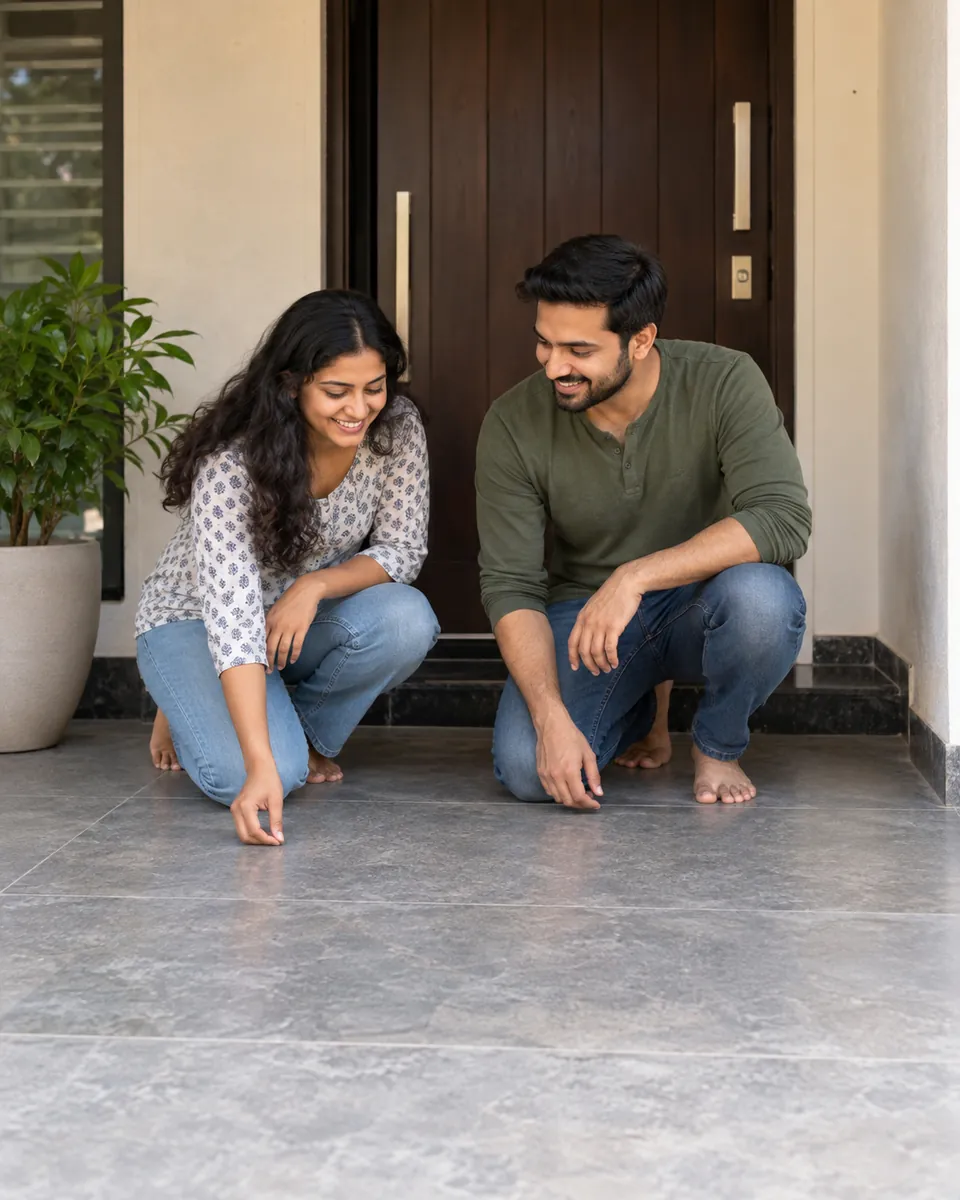
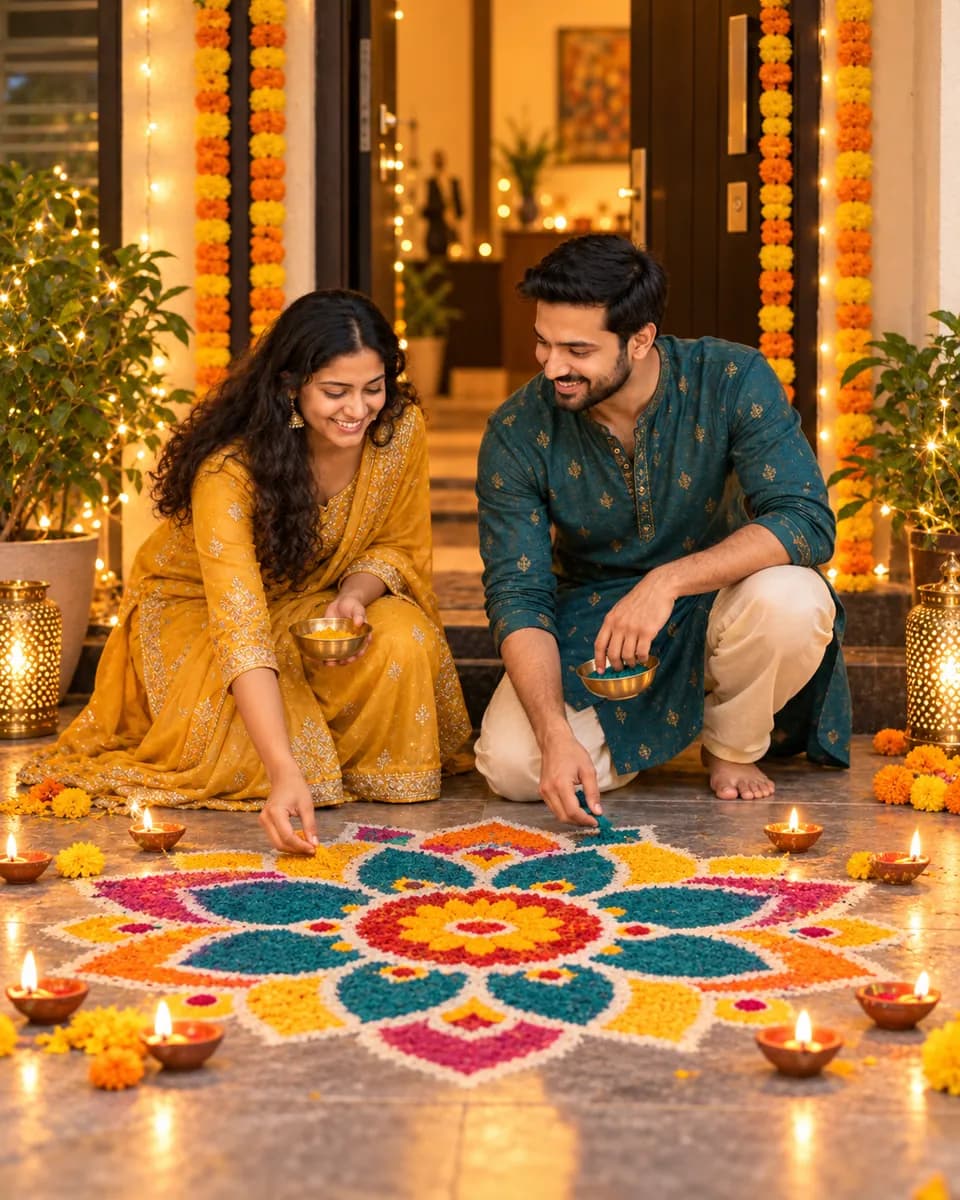
See the full look in our Finishing the Rangoli Together style.
3. First Diwali as a married couple (best in ChatGPT)
ChatGPT handles a detailed, person-by-person description well.
Using the uploaded photo of us, create a portrait for our first Diwali as a married couple. Preserve both faces completely: same face shape, eyes, nose, lips, skin tone and natural skin texture for each person. Do not beautify, lighten or change either face.
Left person: cream and gold sherwani-style kurta with a light embroidered stole.
Right person: red bridal-style lehenga with fine gold zari work, mehndi on both hands, a light maang tikka, glass bangles.
Setting: the entrance of a home decorated with marigold torans, a large rangoli and dozens of diyas, fairy lights above the door.
Lighting: warm golden glow from the diyas, soft fill light on faces.
Framing: full-length, 4:5, both people sharp.
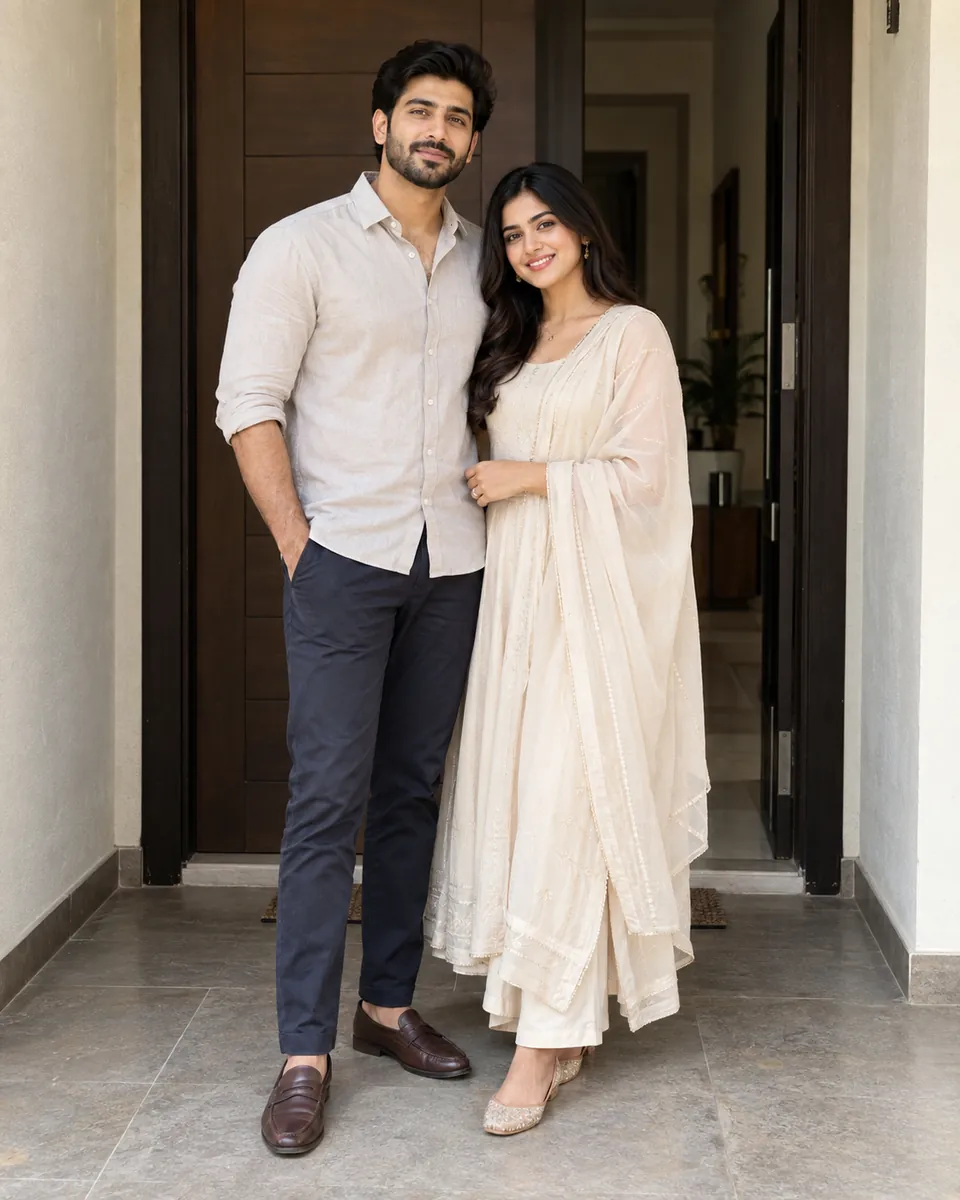
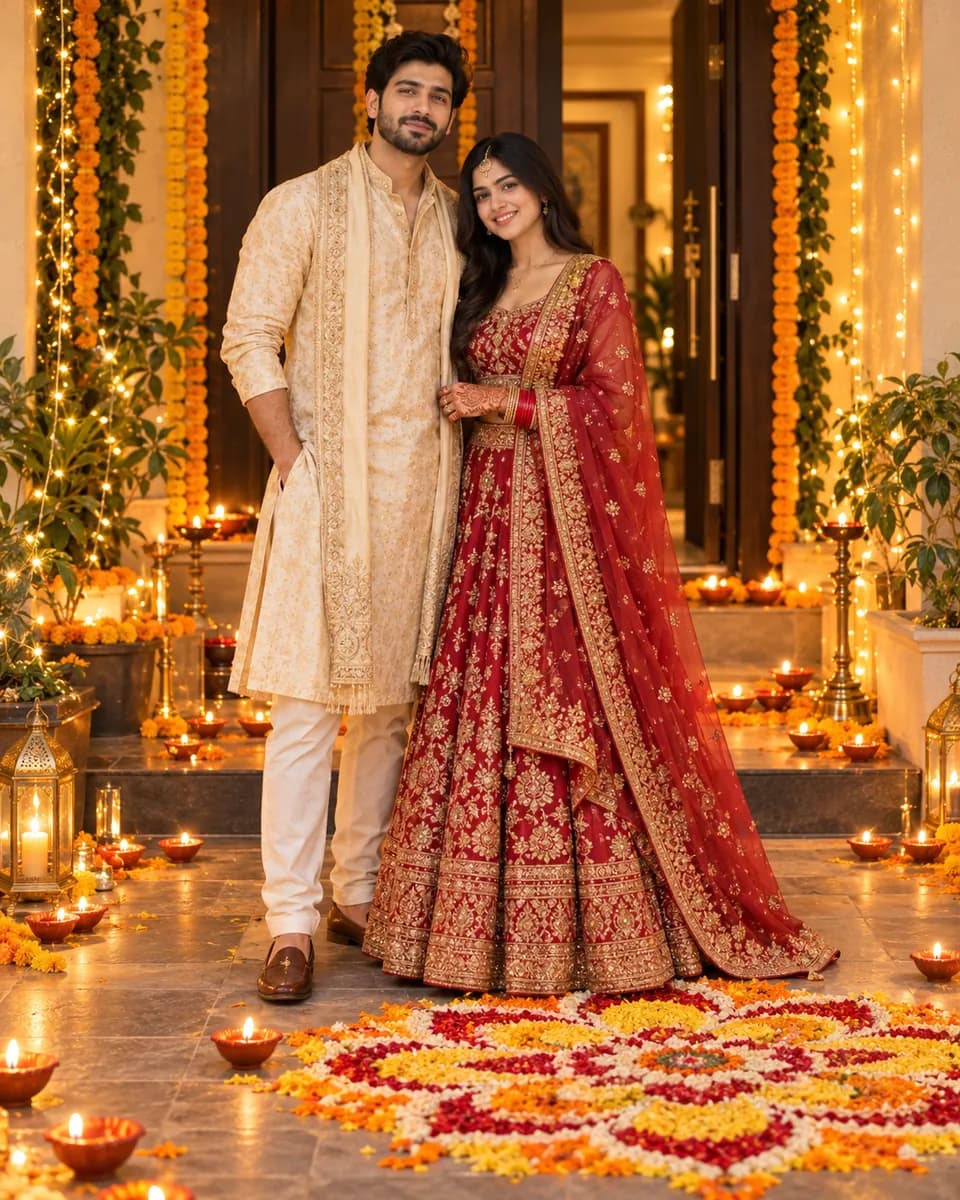
Want it ready-made? Try the First Diwali as a Married Couple style.
4. Only have separate photos? Combine them (Gemini)
Useful for long-distance couples, or when you just don't have a good photo together. Upload both photos in one message.
I've uploaded two photos: photo 1 is Person A, photo 2 is Person B. Create one Diwali photo of them together, standing side by side holding sparklers on a lamp-lit terrace at night. Keep Person A's face, hair and skin tone exactly as in photo 1, and Person B's exactly as in photo 2. Don't mix their features. Matching festive outfits, warm diya glow, soft fireworks behind them, same lighting on both so they look photographed together.
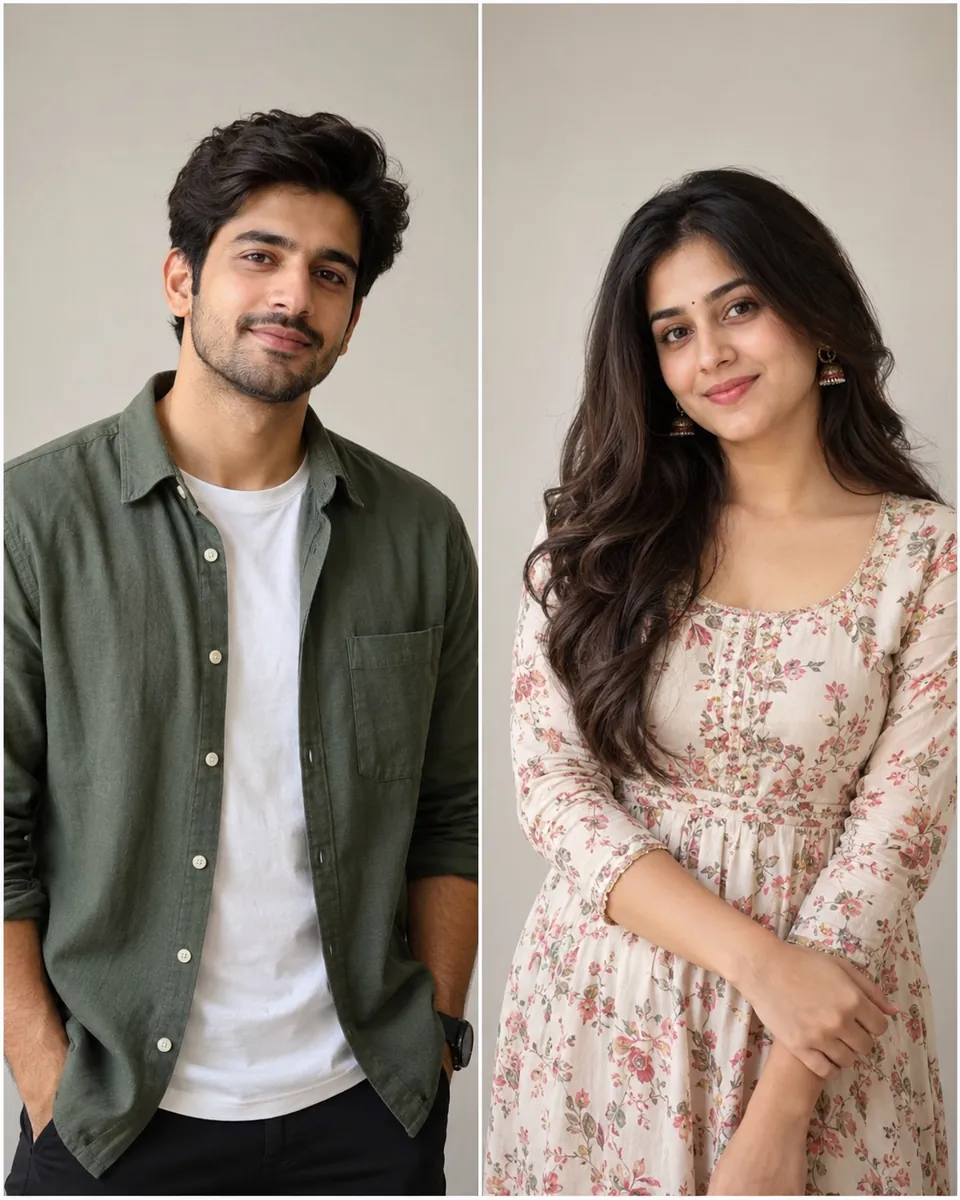
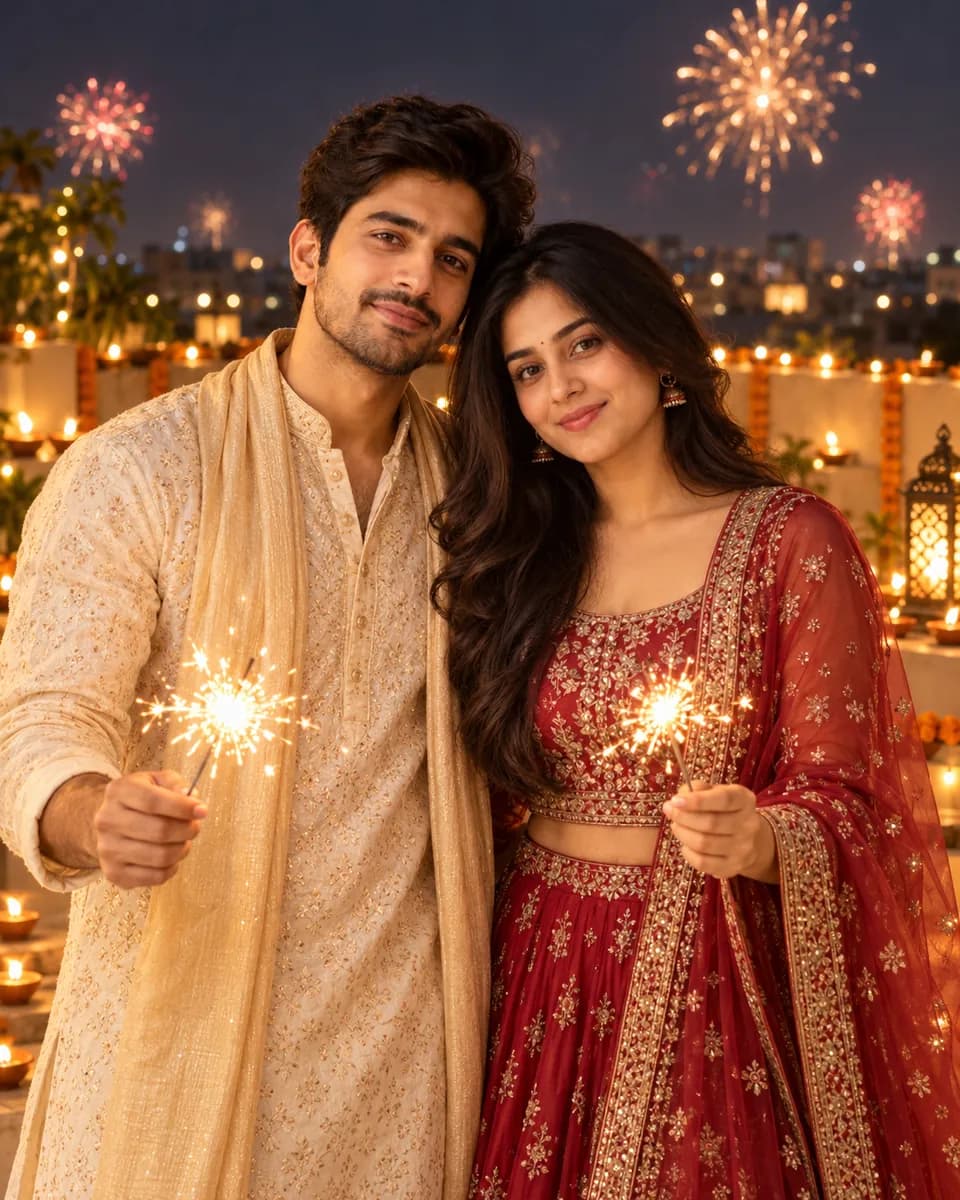
Prefer a one-click version? Use the Separate Photos Couple style.
Tip: Photos with similar lighting and head angles blend most naturally.
Diwali photo editing prompts for girls
5. Fairy-light portrait
Edit my photo into a Diwali night portrait. Keep my face, skin tone, hairstyle and expression exactly the same. Pastel pink anarkali with silver embroidery, small jhumkas, holding a strand of warm fairy lights near my face. Dark background full of soft golden bokeh, gentle warm light on my face.
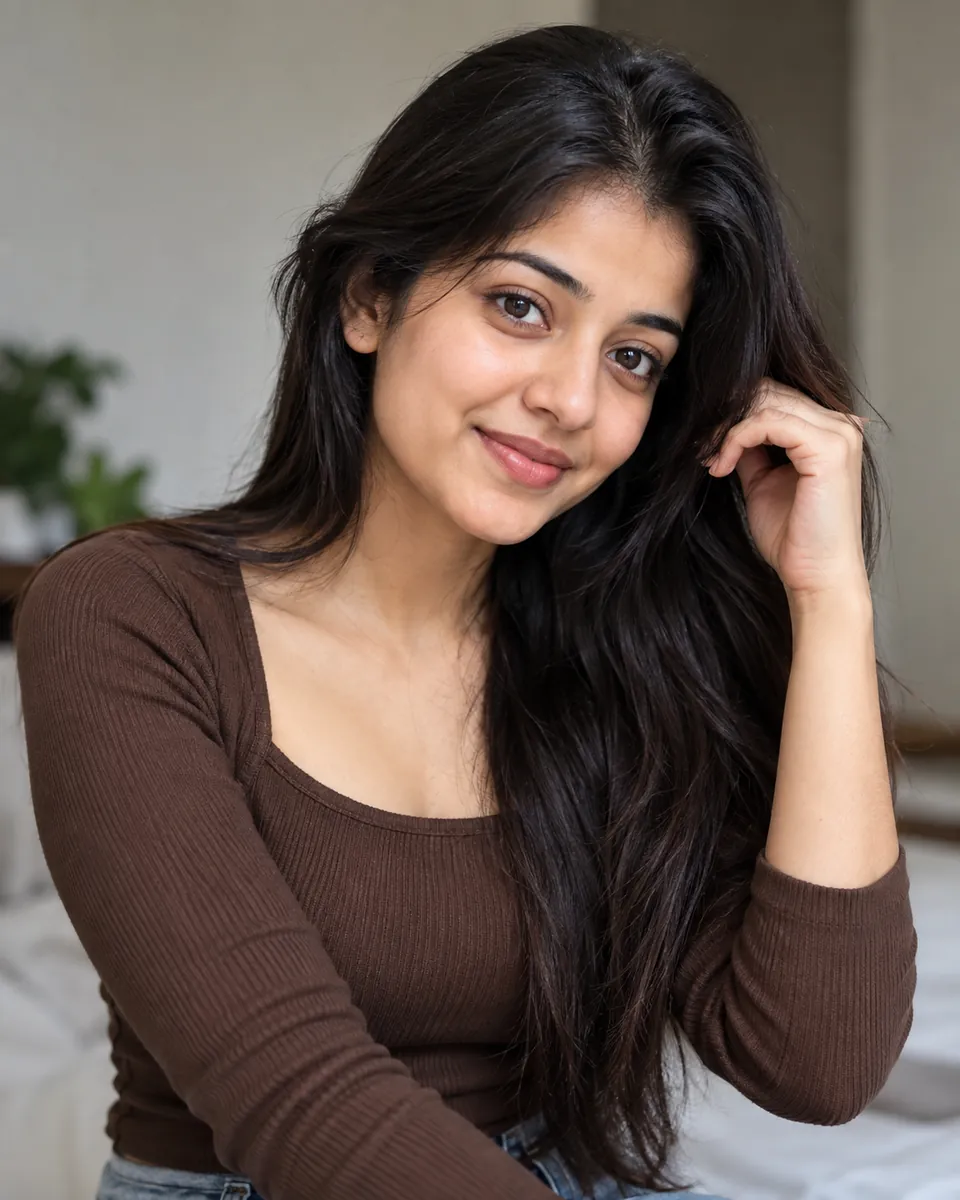
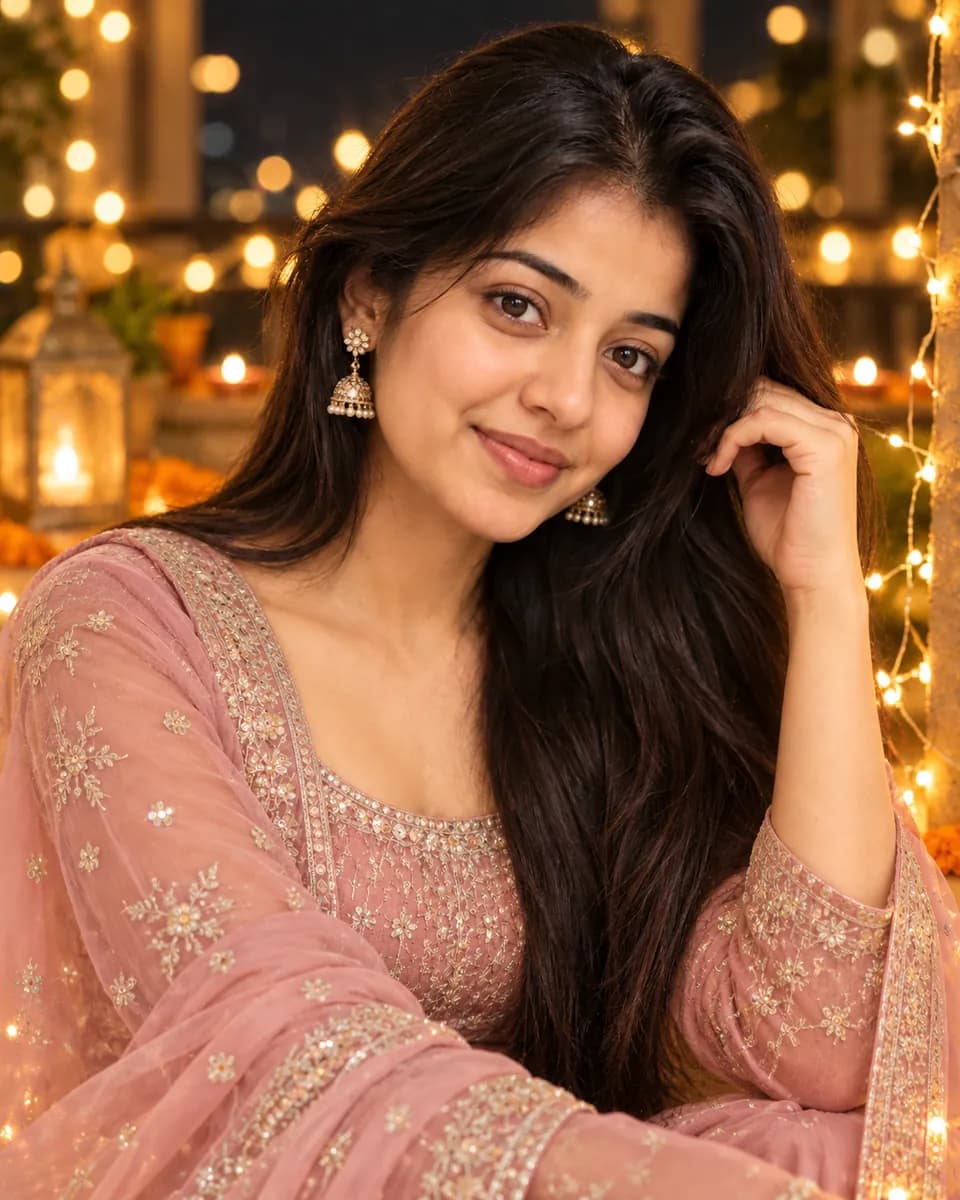
Get this look instantly with the Fairy-Light Portrait style.
6. Golden-hour sparkler shot (best in ChatGPT)
Using my uploaded photo, create a festive Diwali portrait. Preserve my exact face, features and natural skin tone; do not lighten or smooth my skin.
Outfit: emerald green silk lehenga with gold work, a sheer dupatta over one shoulder, gold bangles.
Action: holding a lit sparkler at arm's length, sparks trailing, a soft smile.
Setting: a courtyard at dusk lined with diyas and marigold garlands.
Lighting: warm sparkler and diya glow on the face, deep blue sky behind.
Framing: waist-up, 4:5, sharp focus on the eyes.
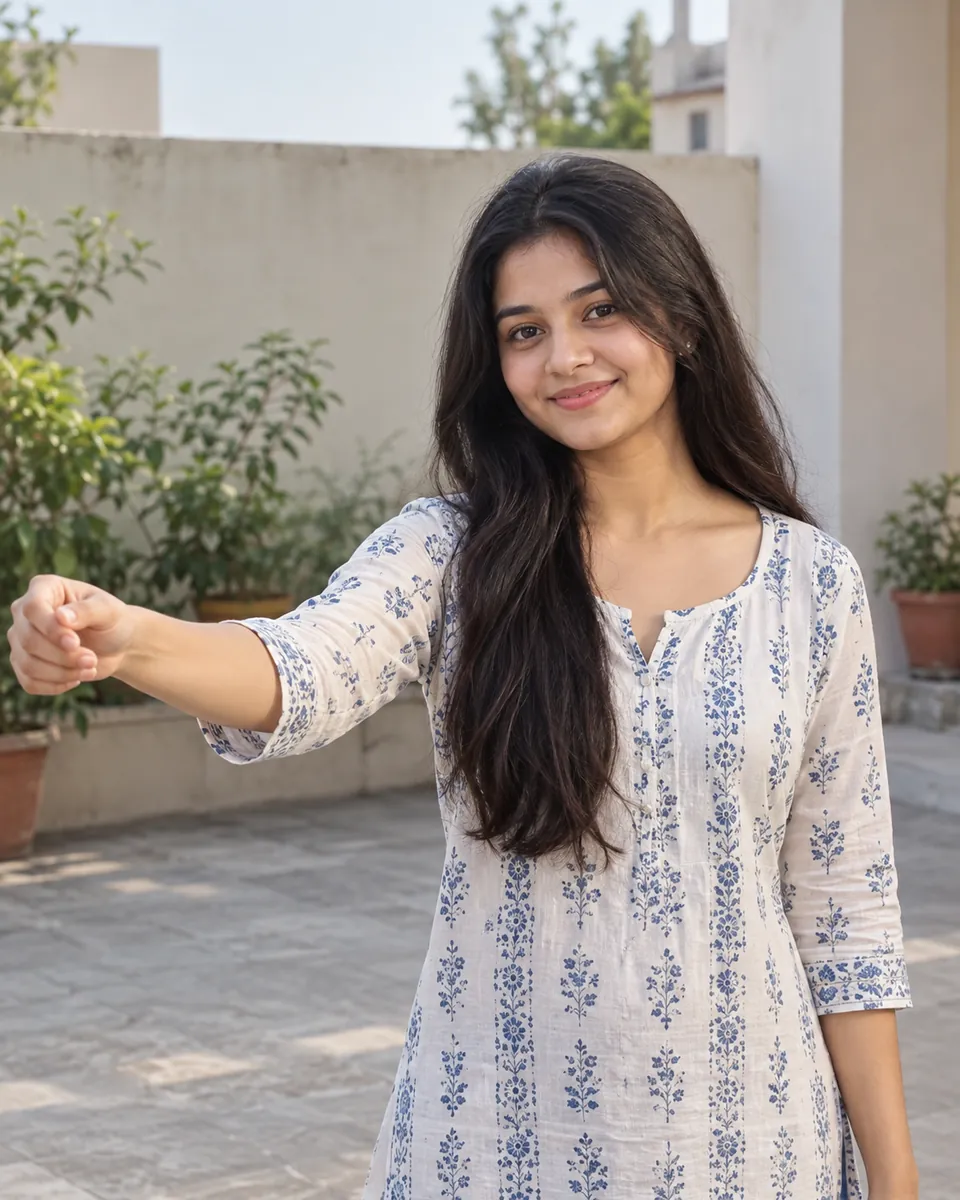
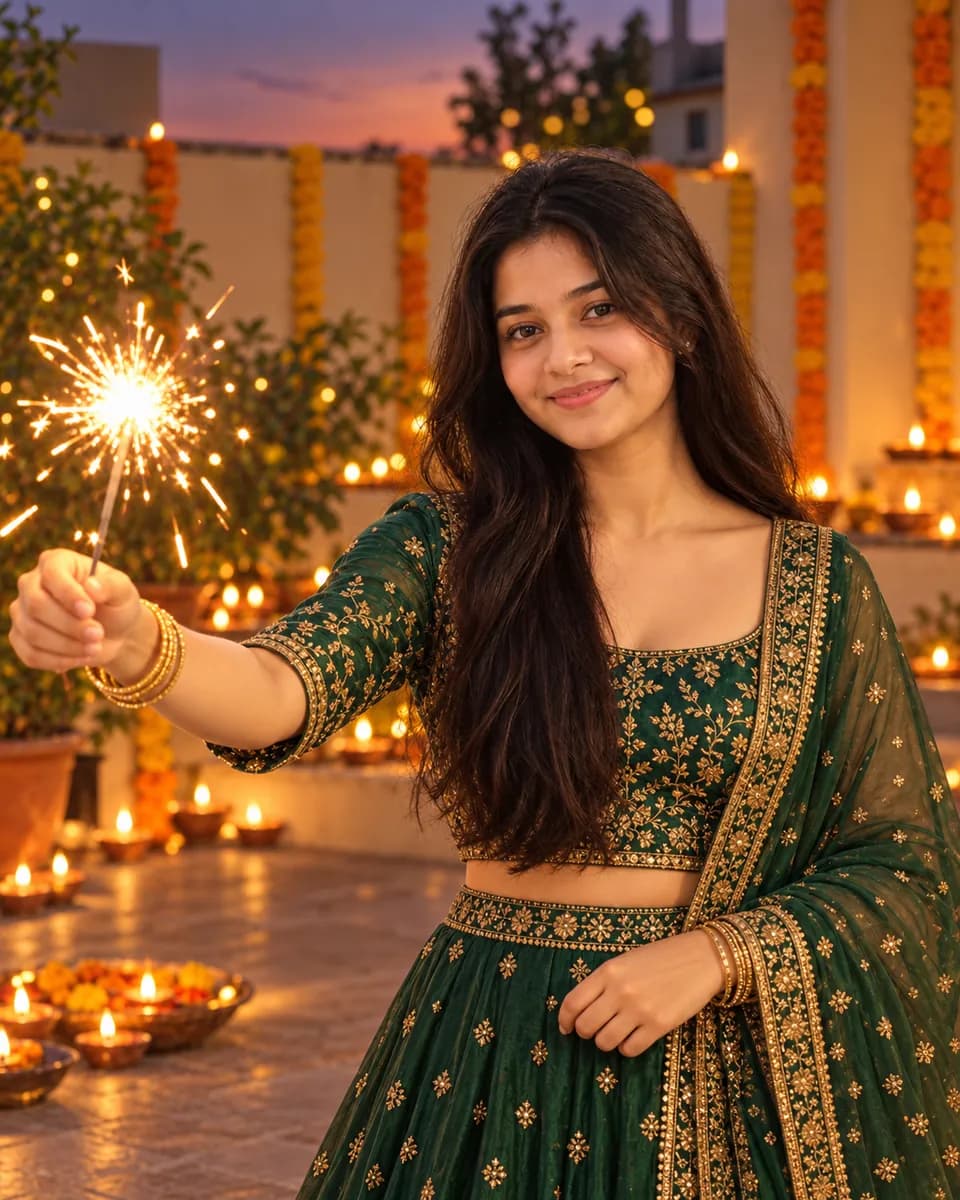
Want it ready-made? Try the Golden-Hour Sparkler Shot style.
Diwali photo editing prompts for boys
7. Kurta and Nehru jacket with lanterns
Edit my photo into a Diwali portrait. Keep my face, beard or stubble, hairstyle and skin tone exactly the same. Navy kurta with a mustard Nehru jacket, standing on a rooftop with paper lanterns and string lights above me, city lights and faint fireworks in the distance. Warm evening light, confident relaxed pose.
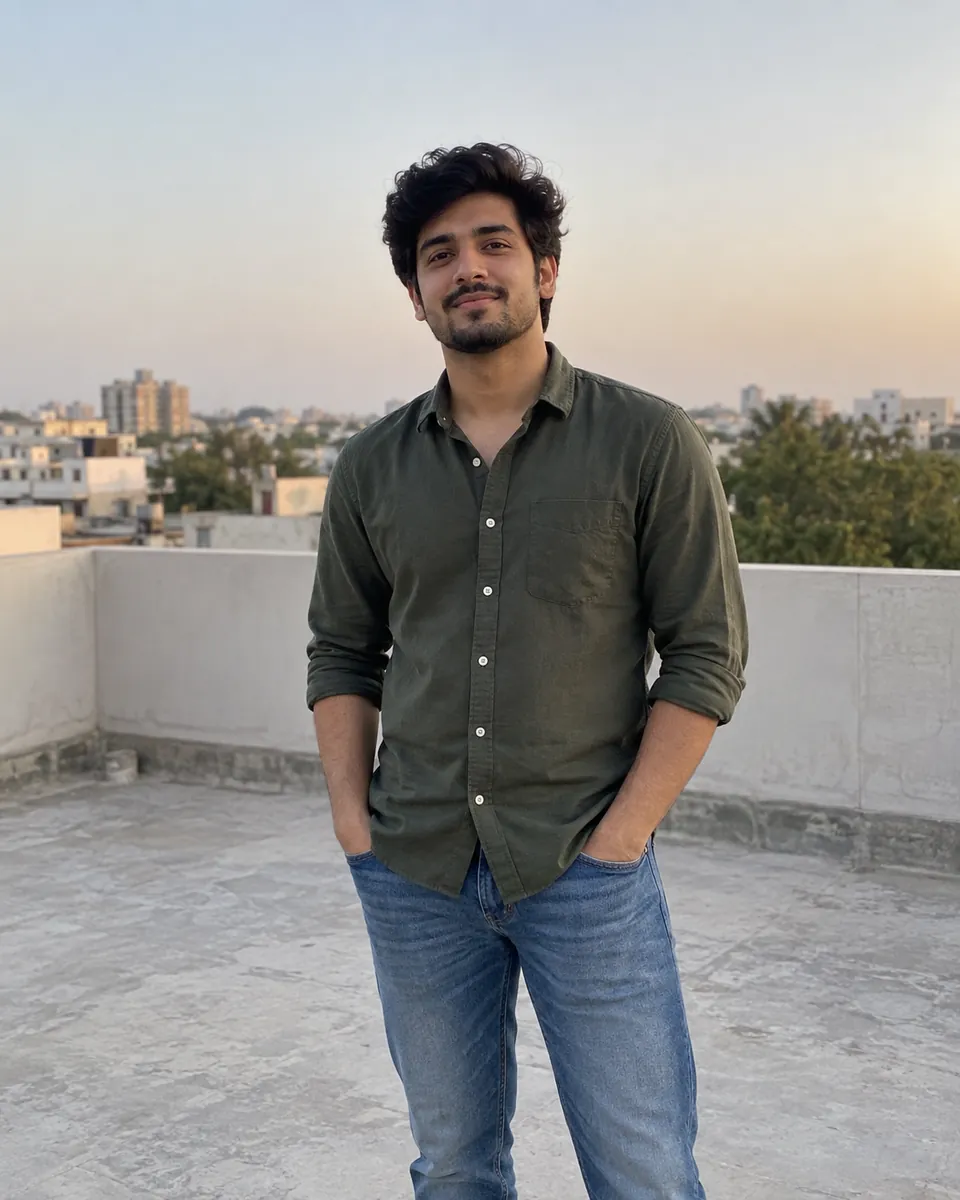
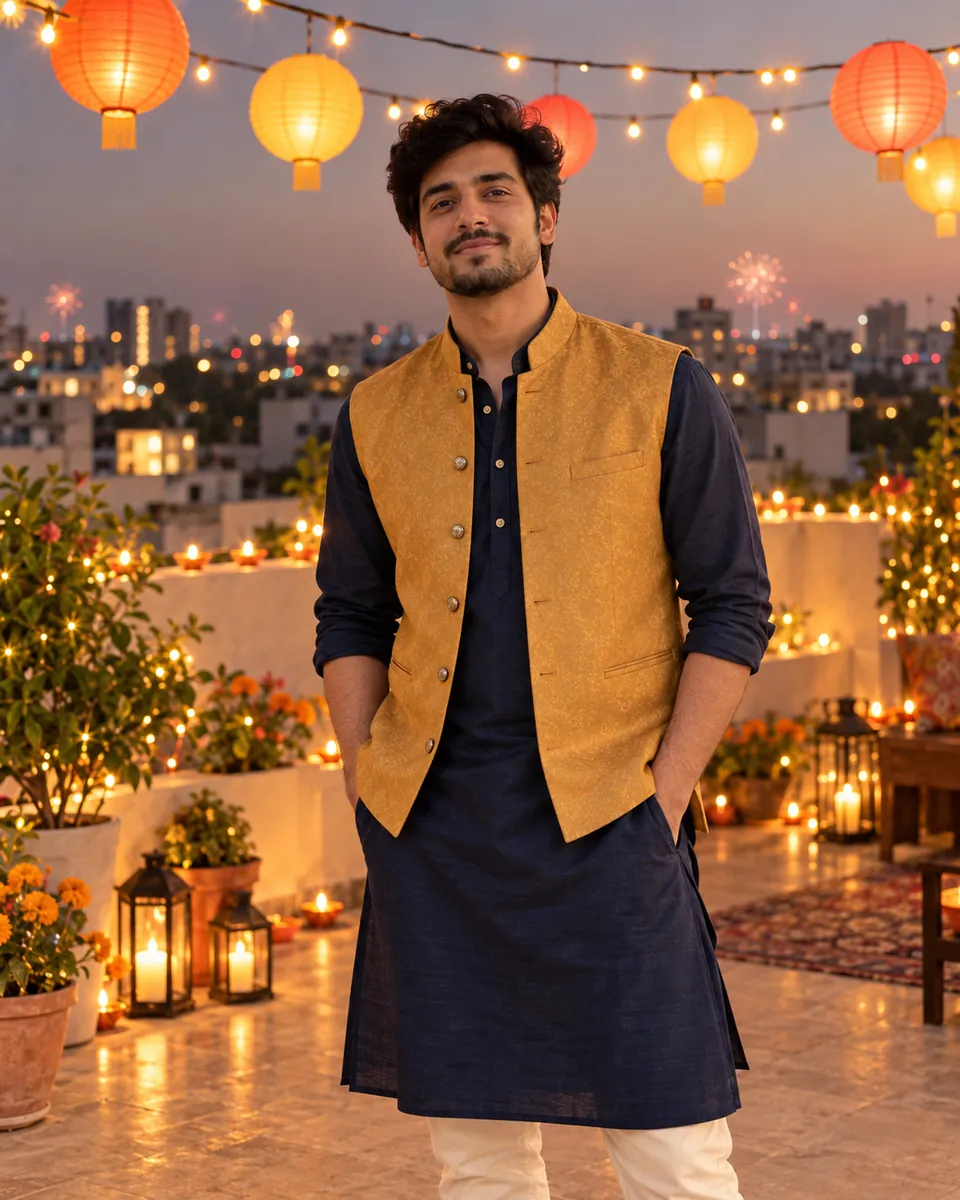
See the full look in our Kurta and Nehru Jacket with Lanterns style.
8. Candid phuljhadi moment
Turn this photo into a candid Diwali street-night snapshot of me lighting a phuljhadi (sparkler), laughing. Preserve my real face, features and skin tone. White chikankari kurta, rolled sleeves. Lane of houses decorated with diyas and lights behind me, smoke drifting, natural phone-camera look, slight motion in the sparks.
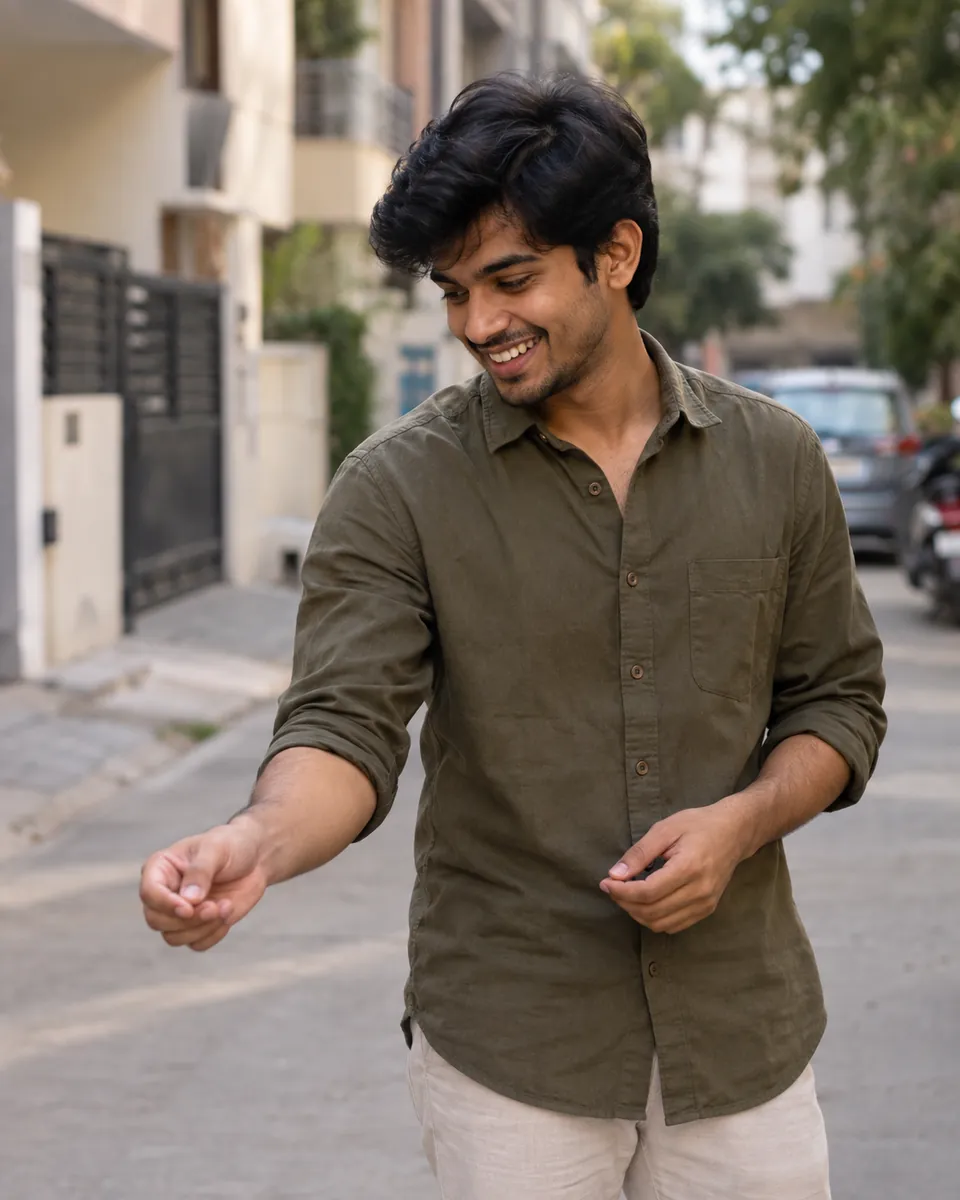
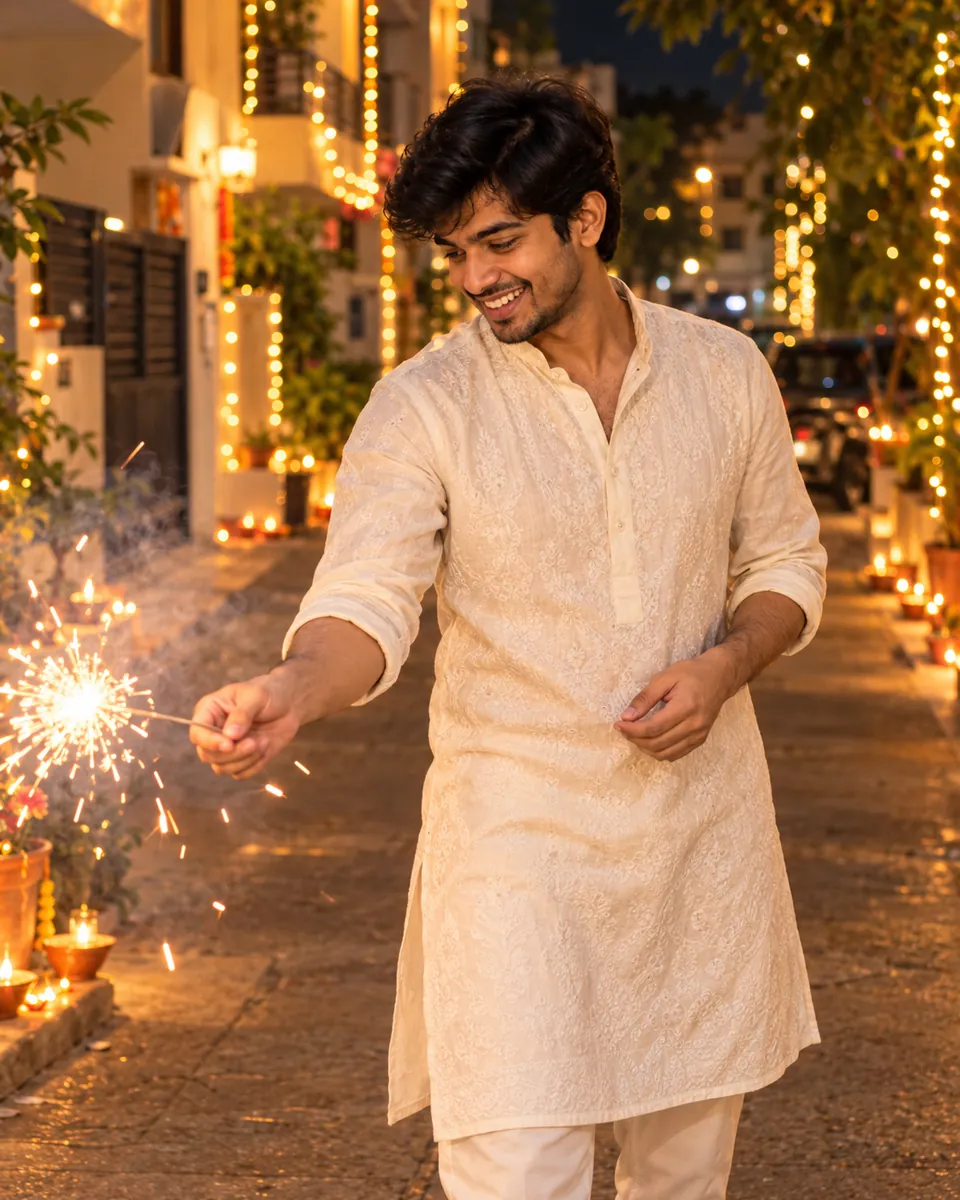
Get this look instantly with the Candid Phuljhadi Moment style.
Diwali baby photo prompt
9. Baby's first Diwali (girl or boy)
Edit this photo of my baby into a soft "first Diwali" portrait. Keep my baby's face, features, skin tone and hair exactly the same. Tiny festive outfit [a yellow silk frock / a little cream kurta], sitting on a soft cushion surrounded by marigold petals. Diyas glowing safely in the far background, well away from the baby. Warm, gentle light, dreamy background blur.
See the full look in our Baby's First Diwali style.
Diwali in Pakistan and around the world
10. Family Diwali in Karachi or Sindh
Hindu communities in Karachi, Hyderabad, Umerkot and across Sindh mark Diwali with temple gatherings, rangoli at the doorstep, sweets and fireworks.
Edit this family photo into a Diwali evening scene in Karachi. Preserve every person's face, age and skin tone exactly. Festive shalwar kameez, kurtas and saris in bright colors. Standing in the courtyard of a historic stone temple decorated with diyas and string lights, a rangoli at our feet, a box of mithai in someone's hands, children's sparklers glowing nearby. Warm evening light, joyful candid mood.
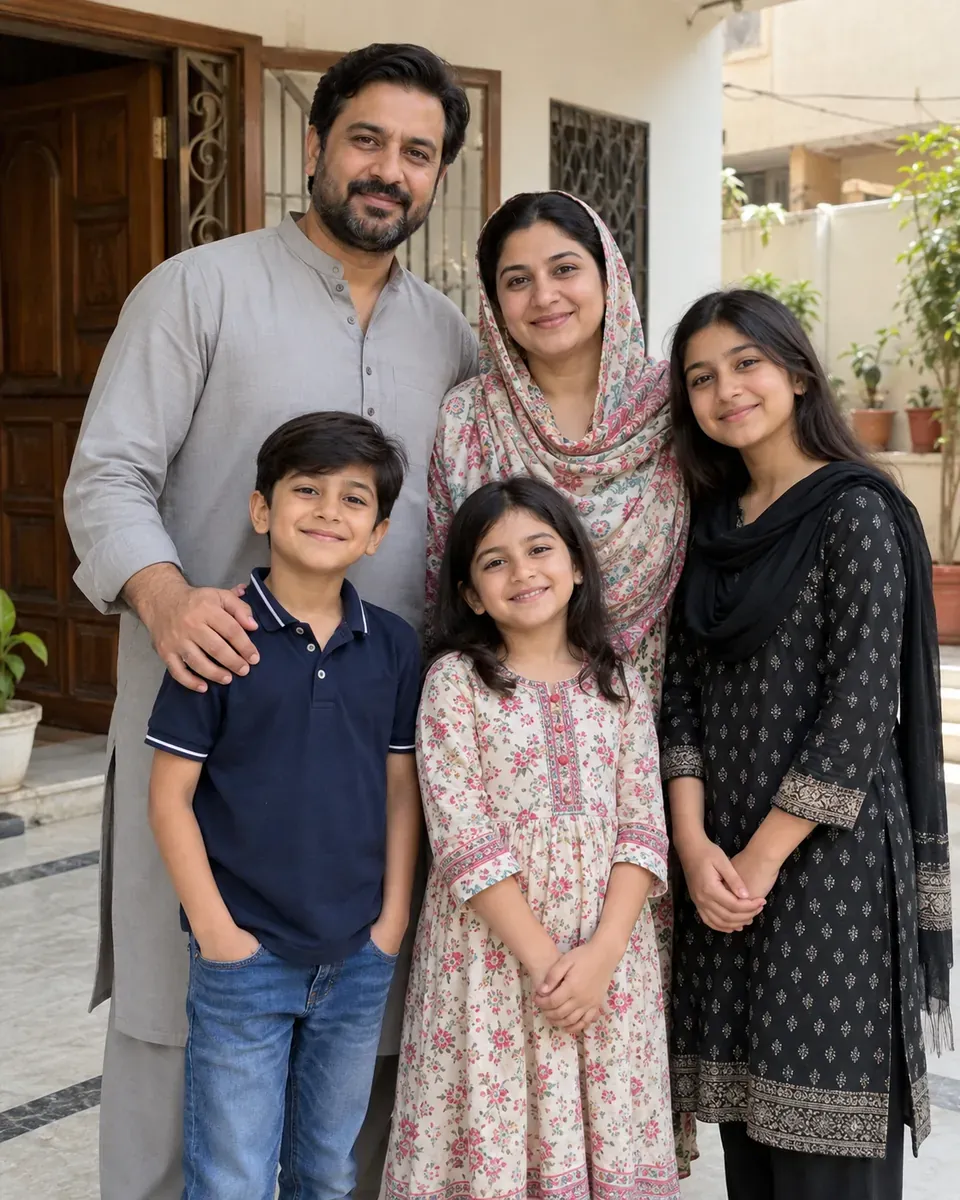
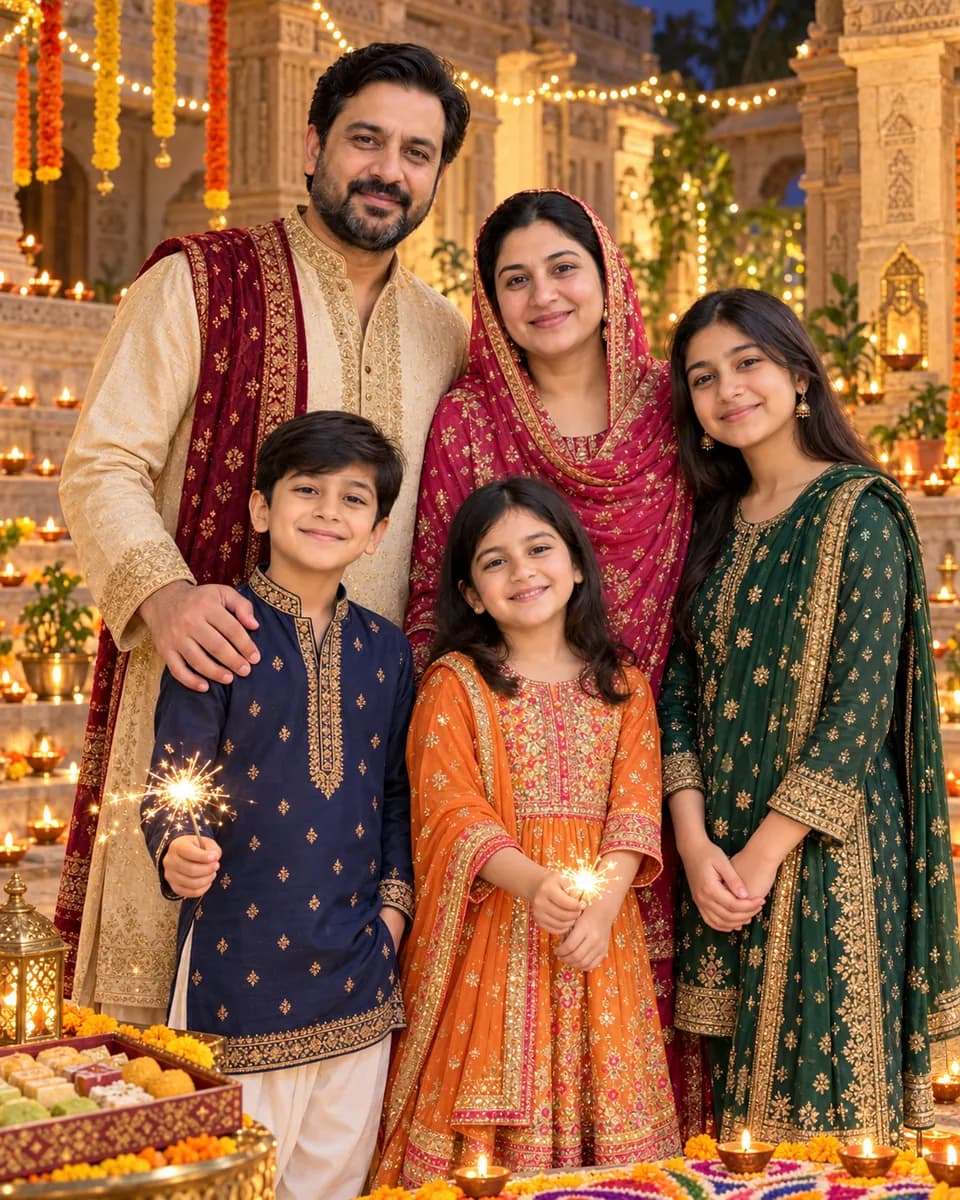
Get this look instantly with the Family Diwali in Karachi or Sindh style.
Tip: If one face changes, reply: "Keep everything the same, but restore the face of the person on the far right to match the original photo."
11. Diaspora Diwali in a cold city
For celebrating far from home, whether in London, Leicester, Toronto, New Jersey or Dubai.
Edit this photo of us into a cozy Diwali night abroad. Keep each person's face, skin tone and expression exactly the same. Festive kurtas and a saree under warm wool coats, standing outside a terraced house with fairy lights in the windows and diyas on the front steps. Cold November evening, misty breath, fireworks over the rooftops, warm light from the open door.
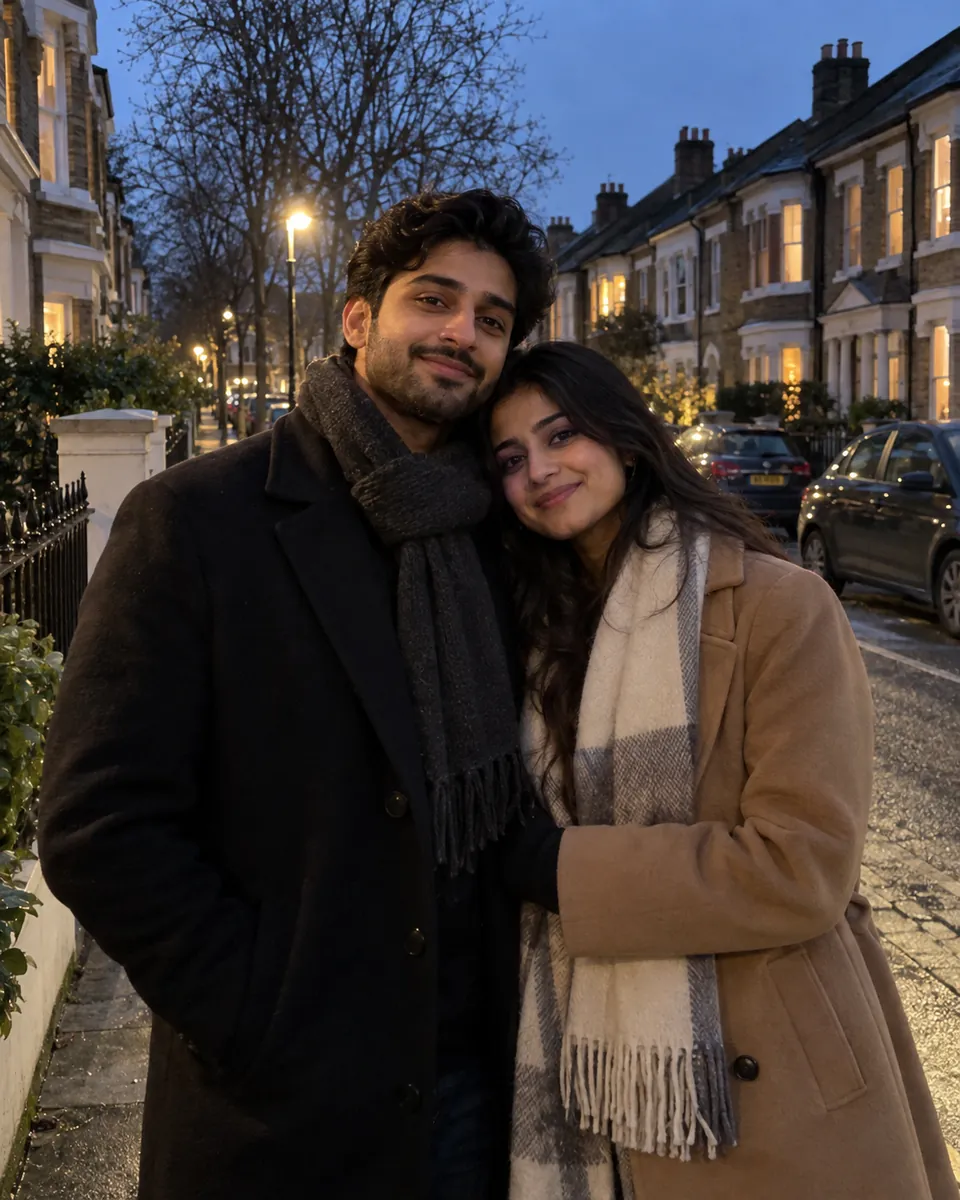
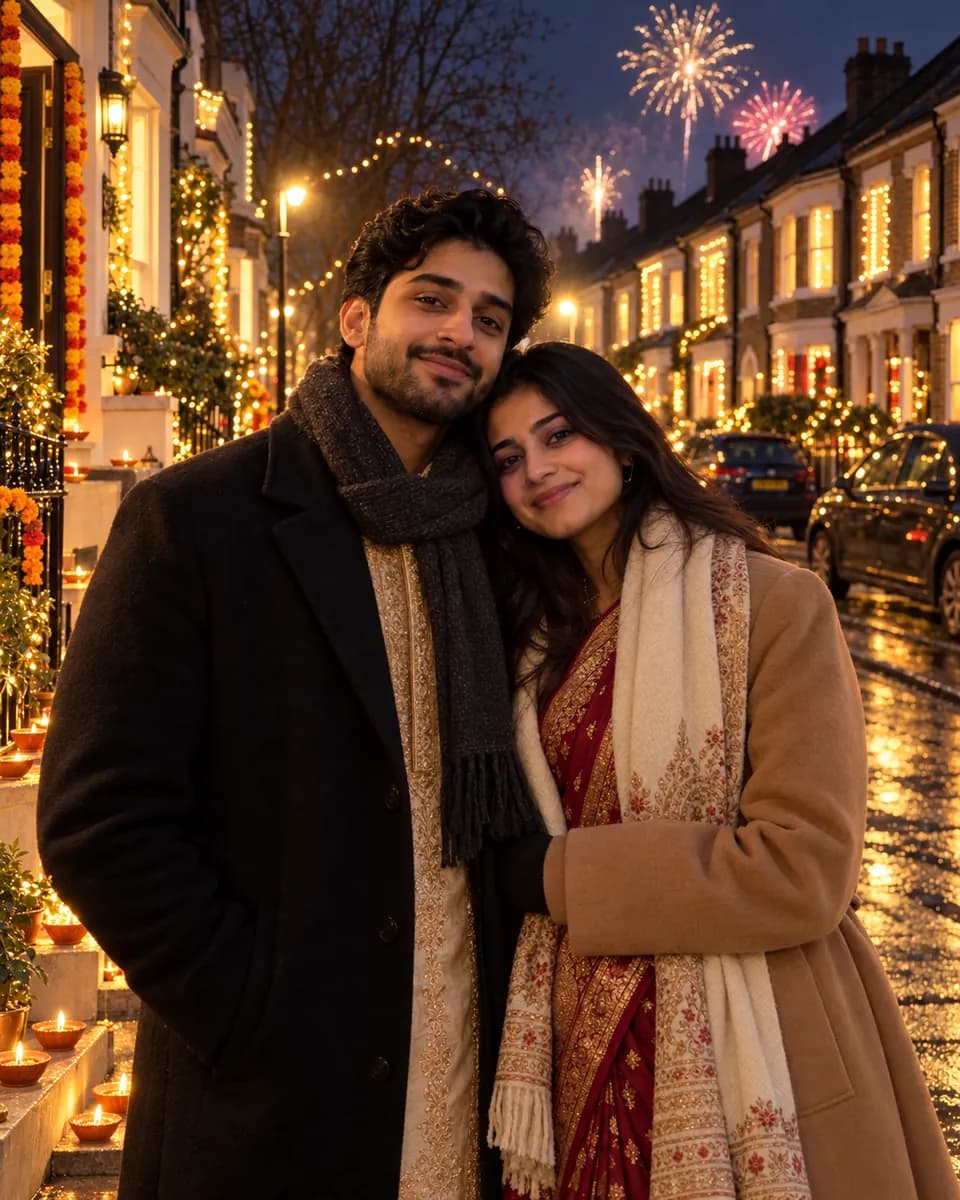
Want it ready-made? Try the Diaspora Diwali in a Cold City style.
Fix-up prompt
12. Repair faces or skin tone
Send this in the same chat if a face or skin tone has changed.
Keep the outfits, background and lighting exactly as they are. Only fix the faces so each person matches the original uploaded photo: same eyes, nose, lips, jawline and natural skin tone. Don't lighten or smooth anyone's skin.
Tips for each tool
Gemini (Nano Banana 2)
- Find it: Open the Gemini app or gemini.google.com, choose Create images from the tools menu, attach your photo, and paste the prompt.
- Three or four changes at a time. Ask for outfits and setting first, then lighting or fireworks in a follow-up.
- Fix in the same chat. "Only change X" follow-ups usually keep more of what you liked than starting fresh.
- Paid plans: Google AI Pro and Ultra subscribers can choose Redo with Pro from the three-dot menu to rerun an image with Nano Banana Pro, which helps with family groups.
ChatGPT (Images 2.5)
- Go detailed. Separate lines for each person's outfit, jewellery and pose work well (see Prompts 3 and 6).
- Comment on one spot. Images 2.5 lets you place a comment on part of the image, such as "her dupatta should be red", to fix one detail without redoing the rest.
- Build step by step. OpenAI says Images 2.5 keeps earlier changes more consistent across several edits.
Common mistakes
- Pasting a "generate" prompt with your photo. If the prompt describes "a woman" and "a man" instead of "us", the AI may draw new people. Say "edit this photo of us" and "keep our faces".
- Not protecting skin tone. Warm, golden festival light can make the AI lighten or darken skin. Ask for your natural skin tone and use Prompt 12 if it shifts.
- Too much gold. Gold outfit, gold jewellery, gold light and gold background can turn everything into one shade. Pick one or two accent colors.
- Disrespectful religious imagery. Keep temple and home-shrine settings simple and respectful. Avoid prompts that put your face on deities or edit sacred images.
- Unrealistic fire near kids. Keep diyas well away from babies, and only show children with sparklers the way they'd safely hold them in real life. It looks more natural, and it's the right example to set.
- Leaving it to Diwali night. Free plans have usage limits, so make your images a few days early.
FAQ
How do I make a Diwali couple photo in Gemini?
Open Gemini, choose Create images, upload a clear photo of you both, and paste a couple prompt such as Prompt 1. Keep the line telling it to preserve both faces and skin tones, then fix any small details with follow-up messages.
How do I edit a Diwali photo without changing my face?
Start the prompt with "edit this photo", list only what should change (outfit, setting, lighting), and add "keep my face and skin tone exactly the same". If the face still drifts, use the fix-up prompt (Prompt 12) in the same chat.
Can I make a Diwali couple photo from two separate photos?
Yes. Upload both photos in the same message, say which photo is which person, and ask for matching lighting so you look photographed together (Prompt 4).
Is it safe to upload my baby's photo to an AI app?
That's a personal choice. Check the app's privacy settings first, and think about who will see the result before sharing. Gemini images carry Google's invisible SynthID watermark, and ChatGPT images include C2PA metadata, so they can be identified as AI-made.
Which is better for Diwali photos, Gemini or ChatGPT?
Both work well. Gemini is often strong at keeping faces and handles short prompts quickly. ChatGPT is great for long, detailed outfit and jewellery descriptions. Try the same prompt in both and keep your favorite.
Are these Diwali AI prompts free?
Yes, the prompts are free to copy. At the time of writing (October 2026), Gemini and ChatGPT both offer image editing on free plans with usage limits, and paid plans allow more.
More festive looks on AI Prompt Grid
- Diya-Lit Balcony, Finishing the Rangoli Together, First Diwali as a Married Couple, Separate Photos Couple, Fairy-Light Portrait, Golden-Hour Sparkler Shot, Kurta and Nehru Jacket with Lanterns, Candid Phuljhadi Moment, Baby's First Diwali, Family Diwali in Karachi or Sindh and Diaspora Diwali in a Cold City.
- Traditional styling: South Asian Fashion Editorial and South Asian Editorial Collage.
- Warm, glowing portraits: Golden Bouquet Glow and Crimson Bangle Reverie.
- Movement and twirls: Golden Twirl Storyboard.
- Saree in black and white: Shadowed Saree Noir.
- At-home family moments: Warm Home Editorial.
- Festive travel: Varanasi Sunset Voyage.
- Group shots: Cinematic Ensemble.
- More couple ideas: 80s AI Photo Prompts for Couples, Families & Friends.
- New to prompts? Read How it works.
AI tools change often. If a prompt stops working the way it's described here, let us know through the contact page.