Halloween AI Prompts for Selfies in Gemini & ChatGPT: Ghostface Y2K, Costumes & More
Copy-paste Halloween AI prompts for selfies: the Ghostface Y2K trend, costume portraits and spooky looks for Gemini and ChatGPT that keep your face.
Updated October 3, 2026 · AI Prompt Grid editorial
Quick answer: Upload a clear, well-lit selfie to Gemini or ChatGPT and paste one of the prompts below. Keep the line that tells the AI to preserve your face. If something drifts, fix it with a short follow-up message rather than starting over. For a cozy pumpkin-patch portrait, start with Prompt 1. For one of the most-shared looks this season, the Ghostface Y2K scene, jump to Prompts 8–10. Prompt 5 is a quick pet costume.
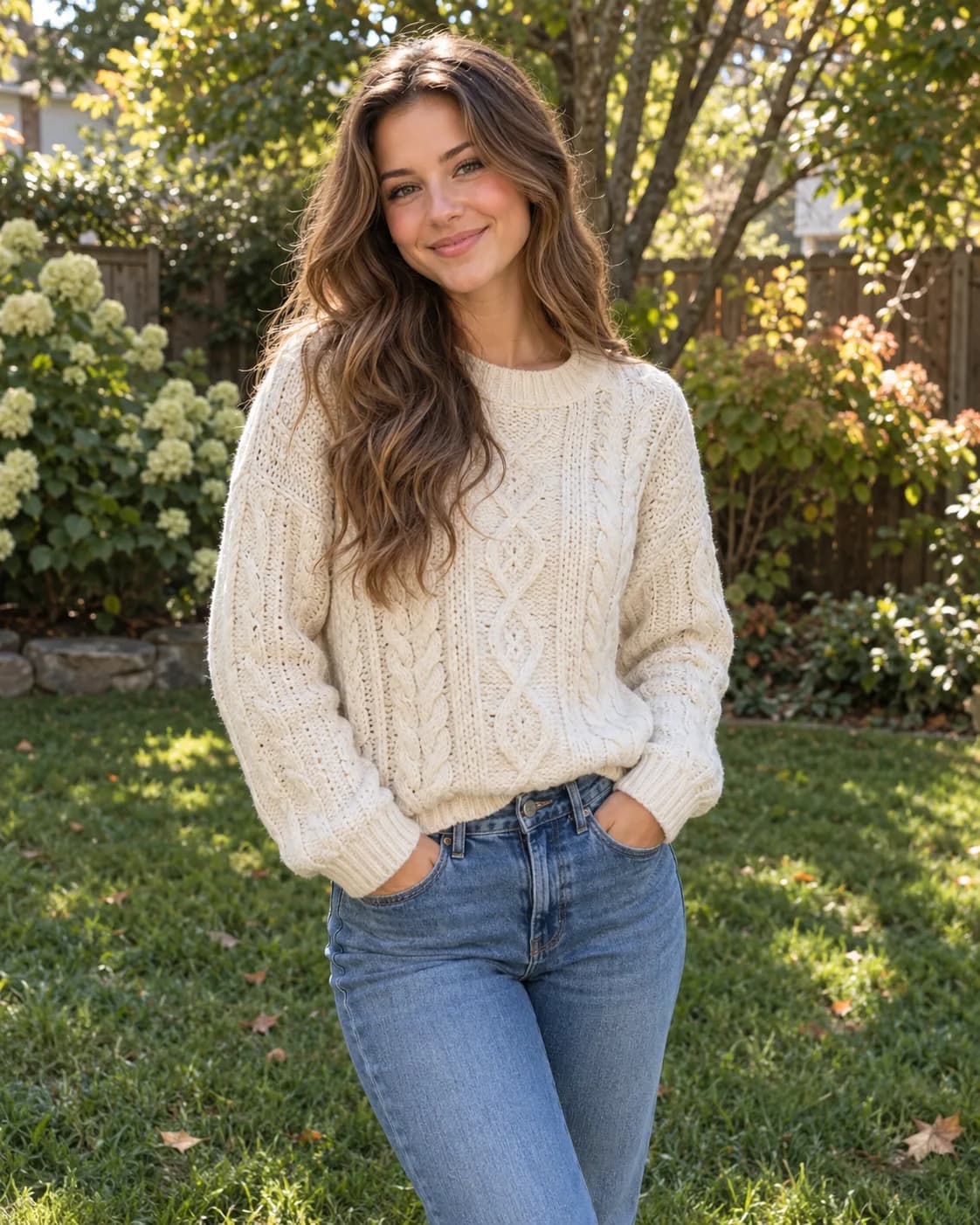
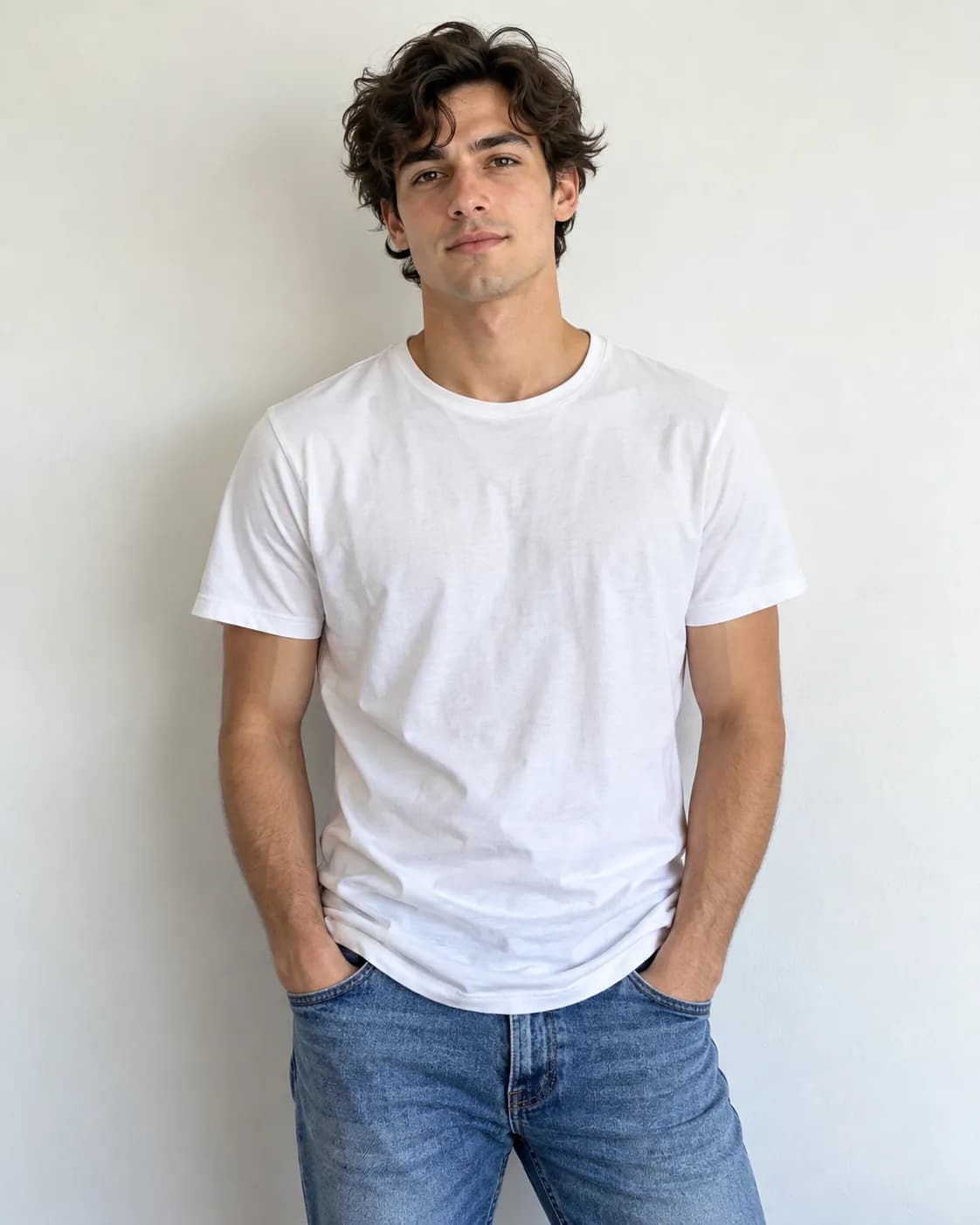
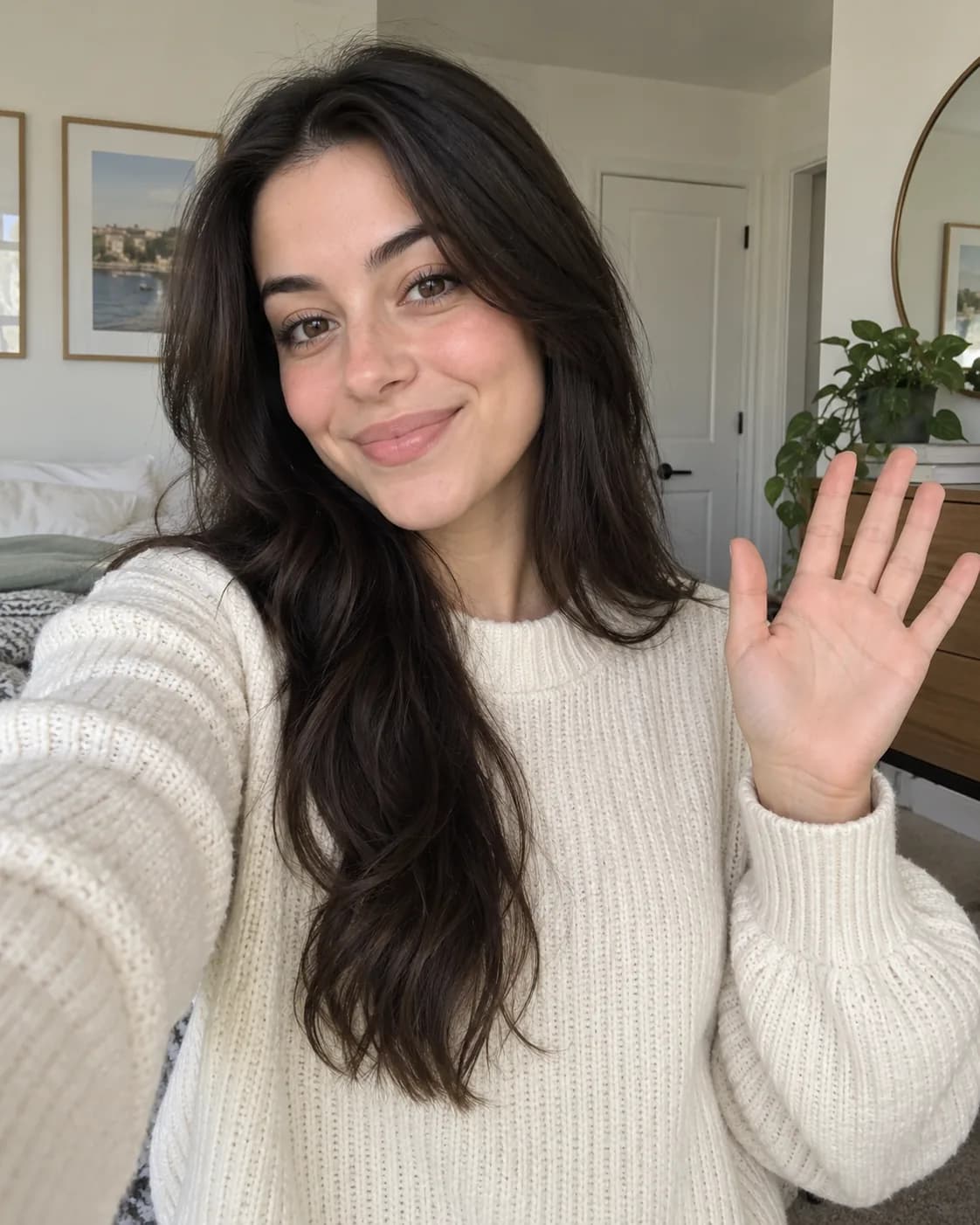
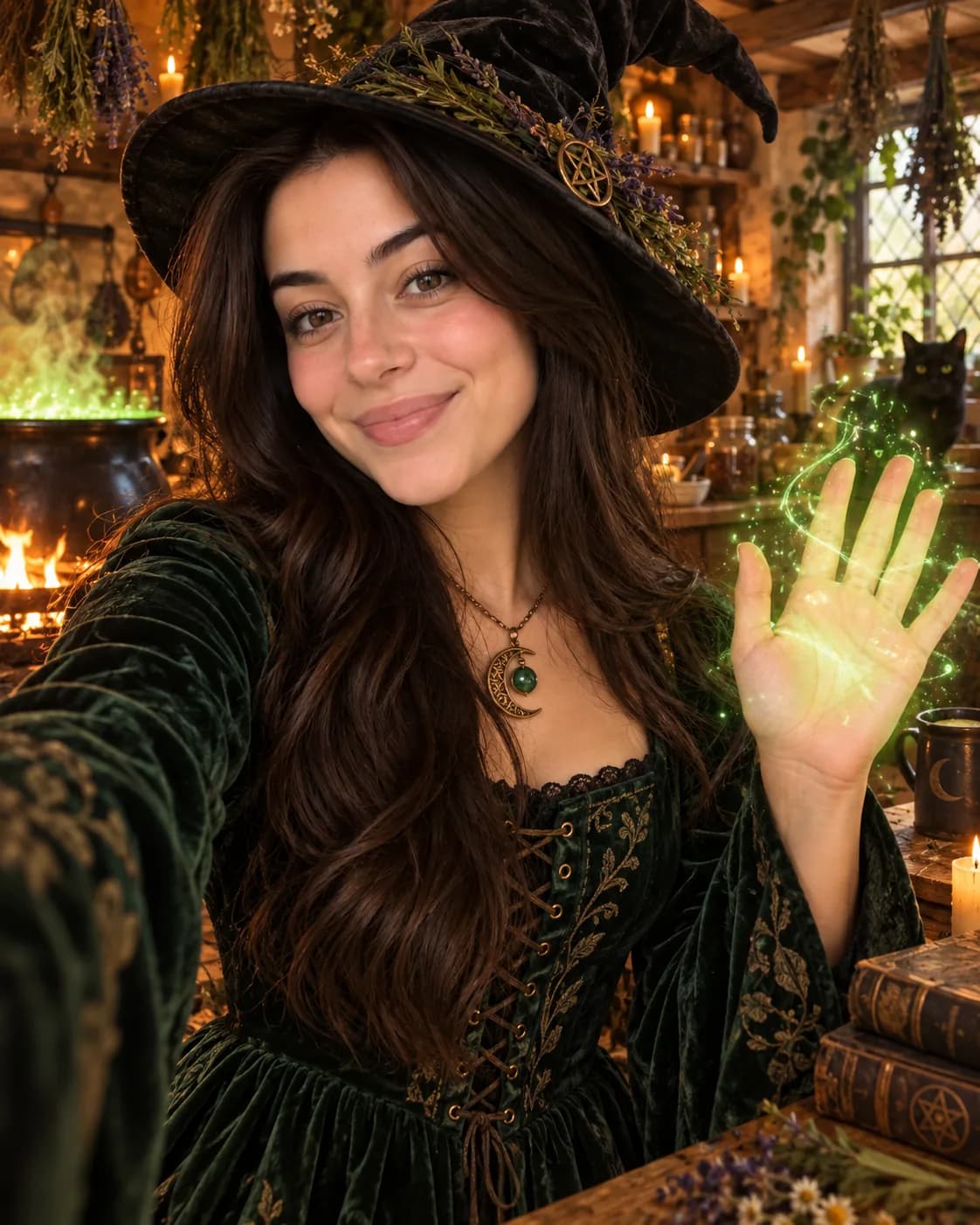
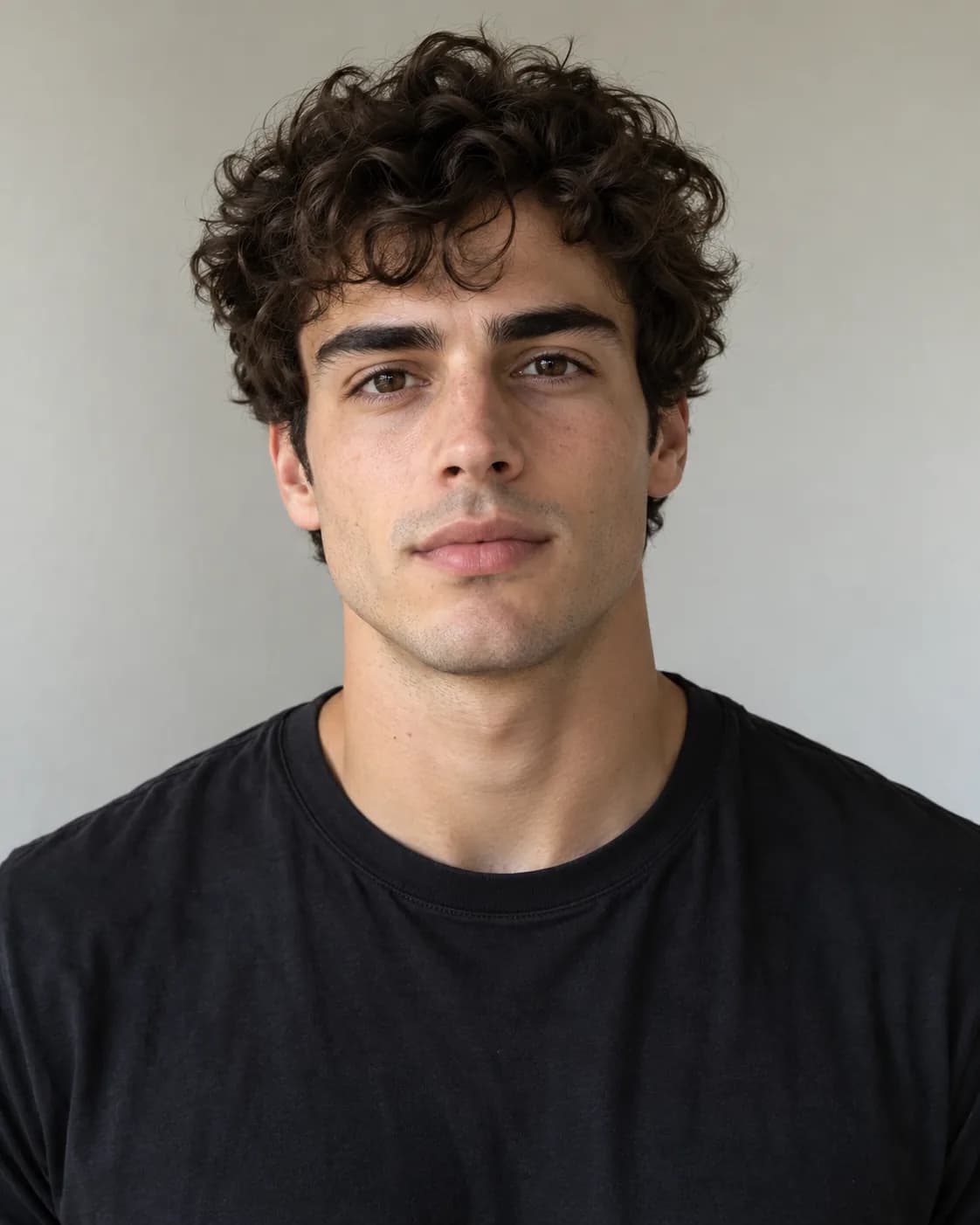
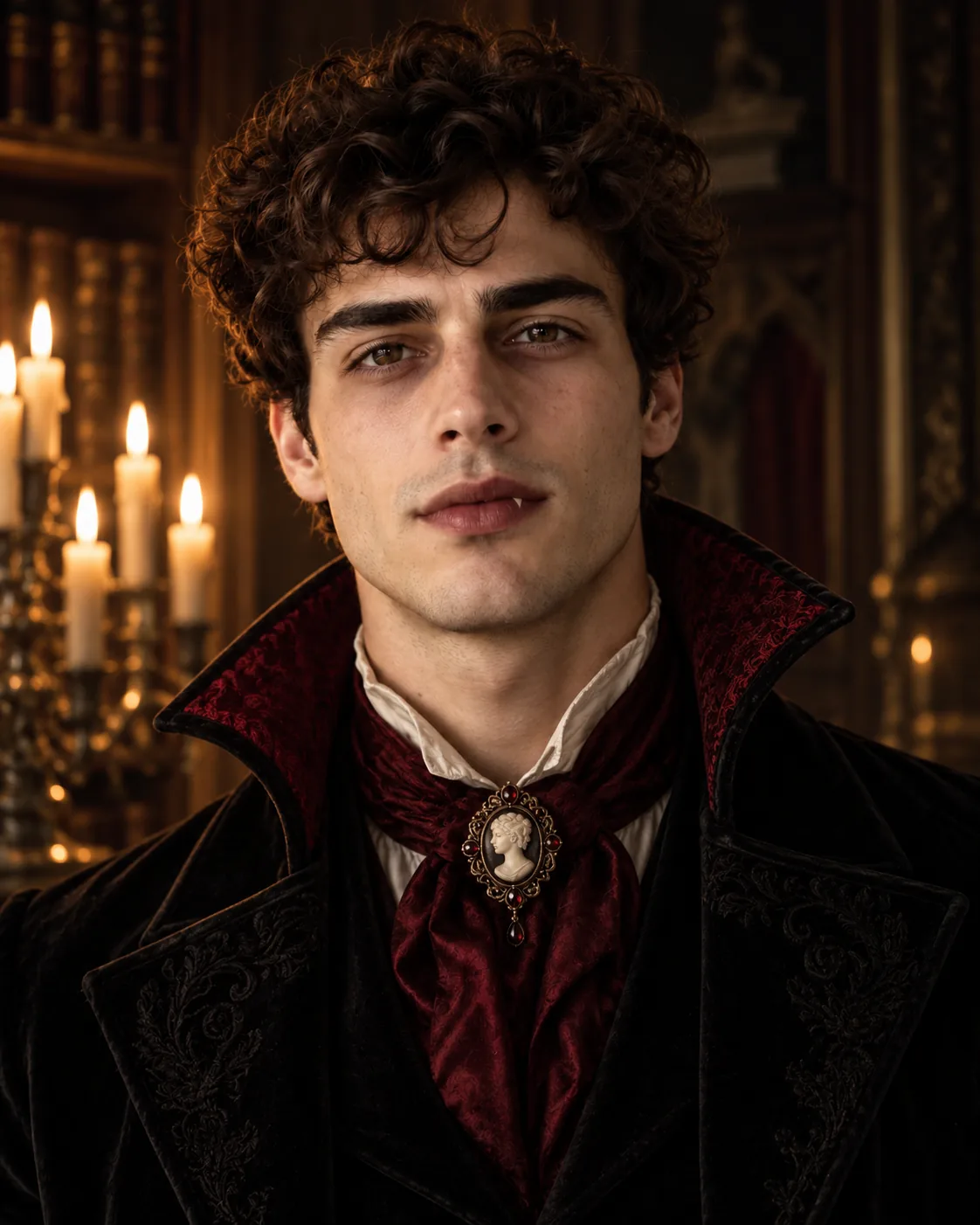
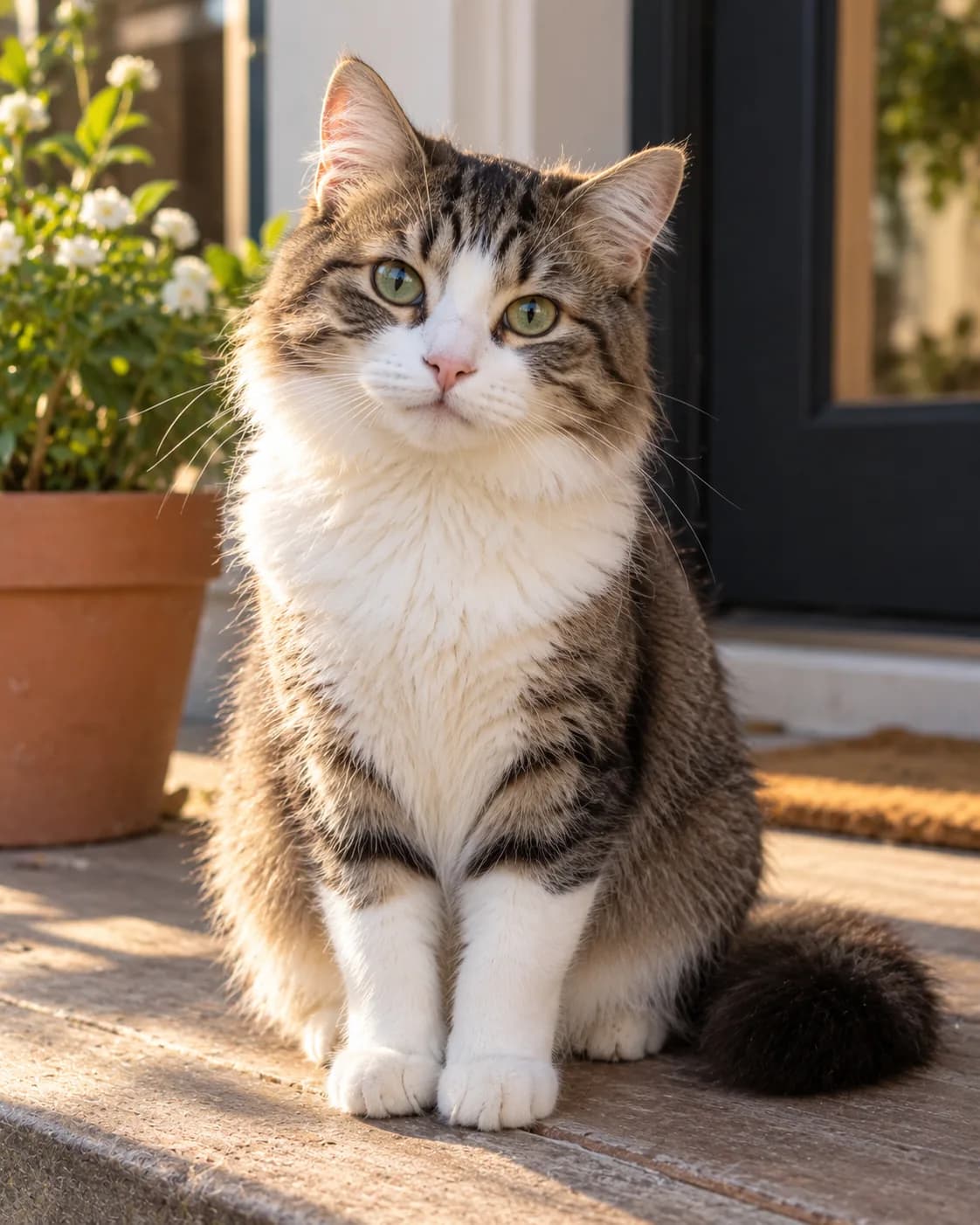
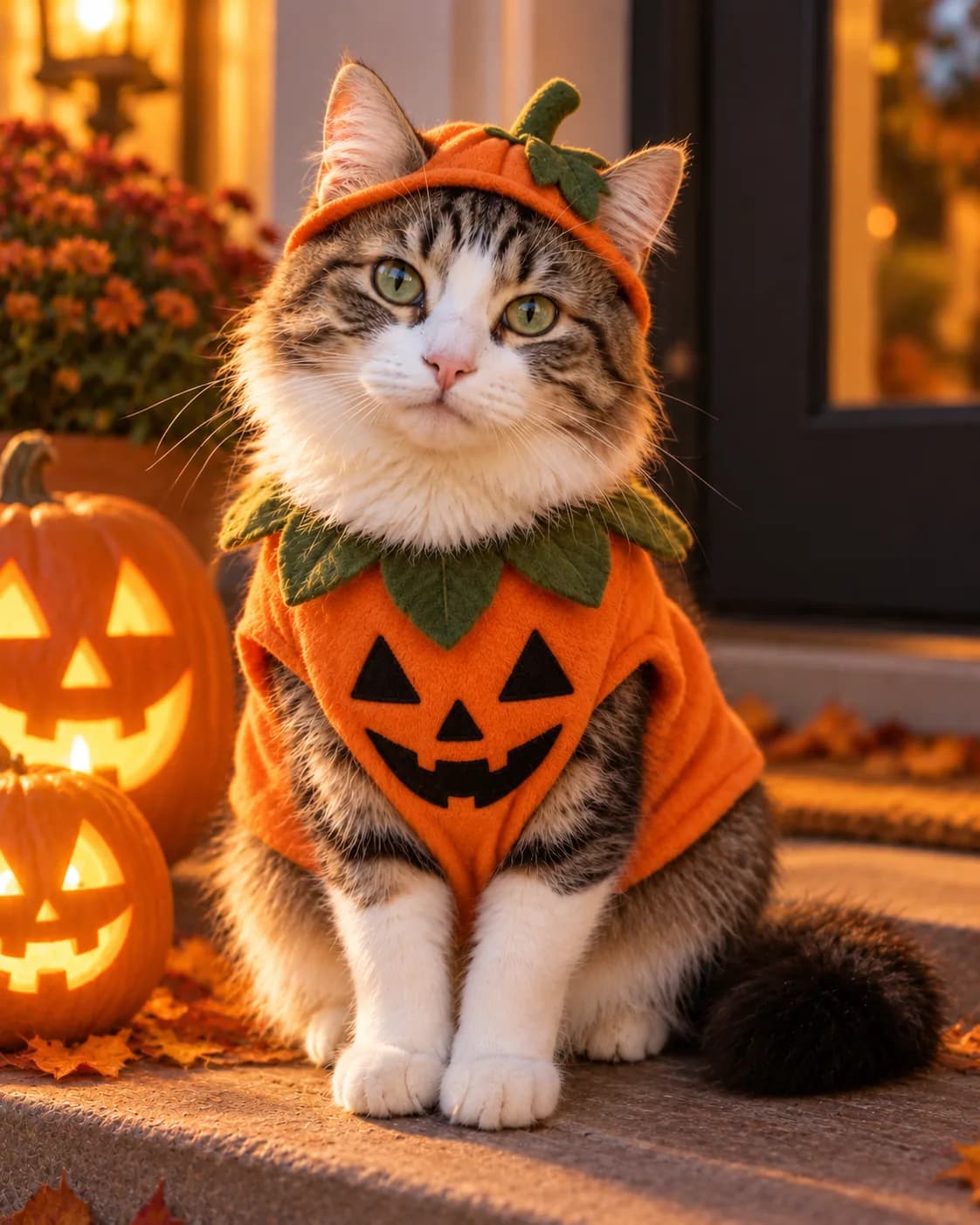
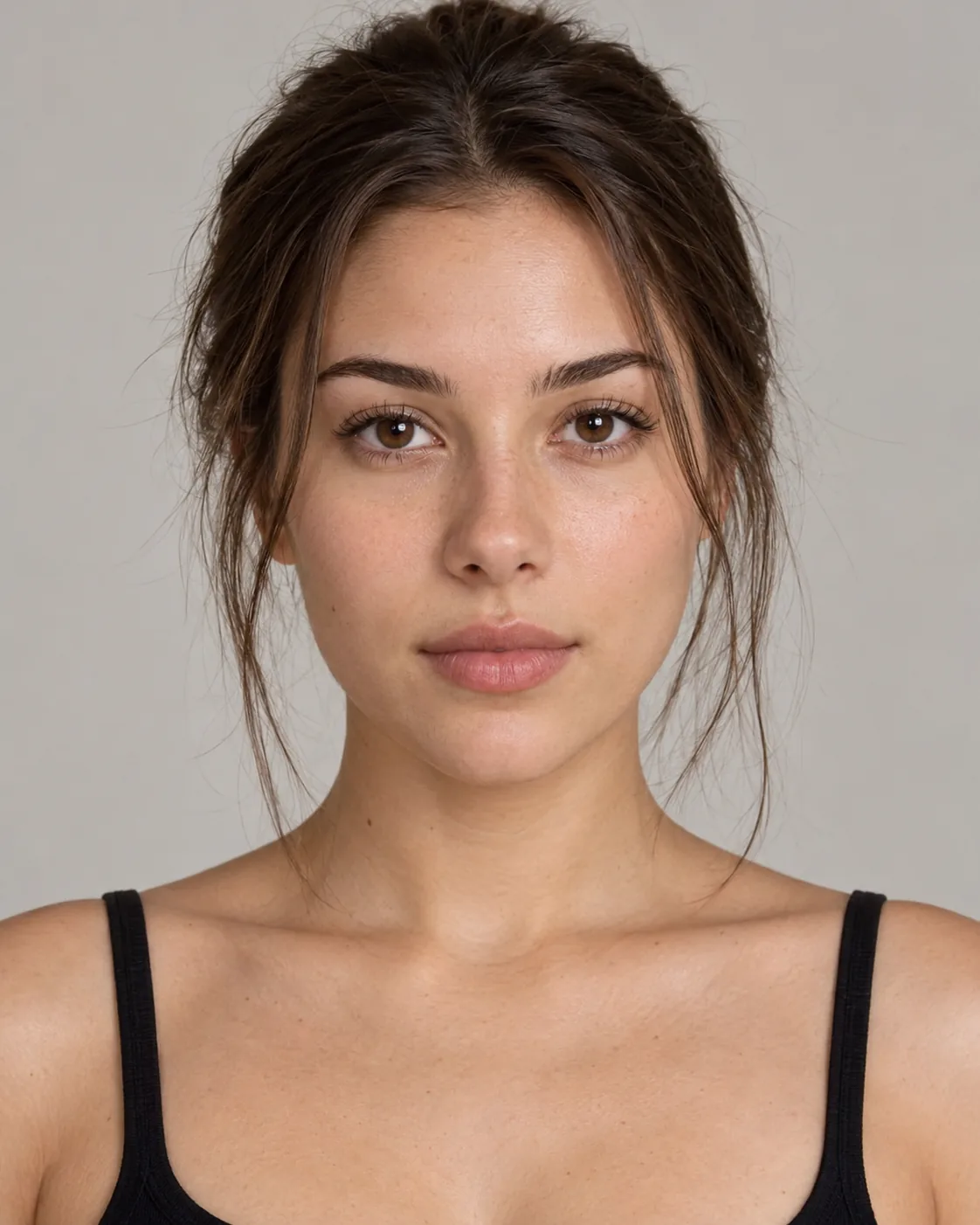
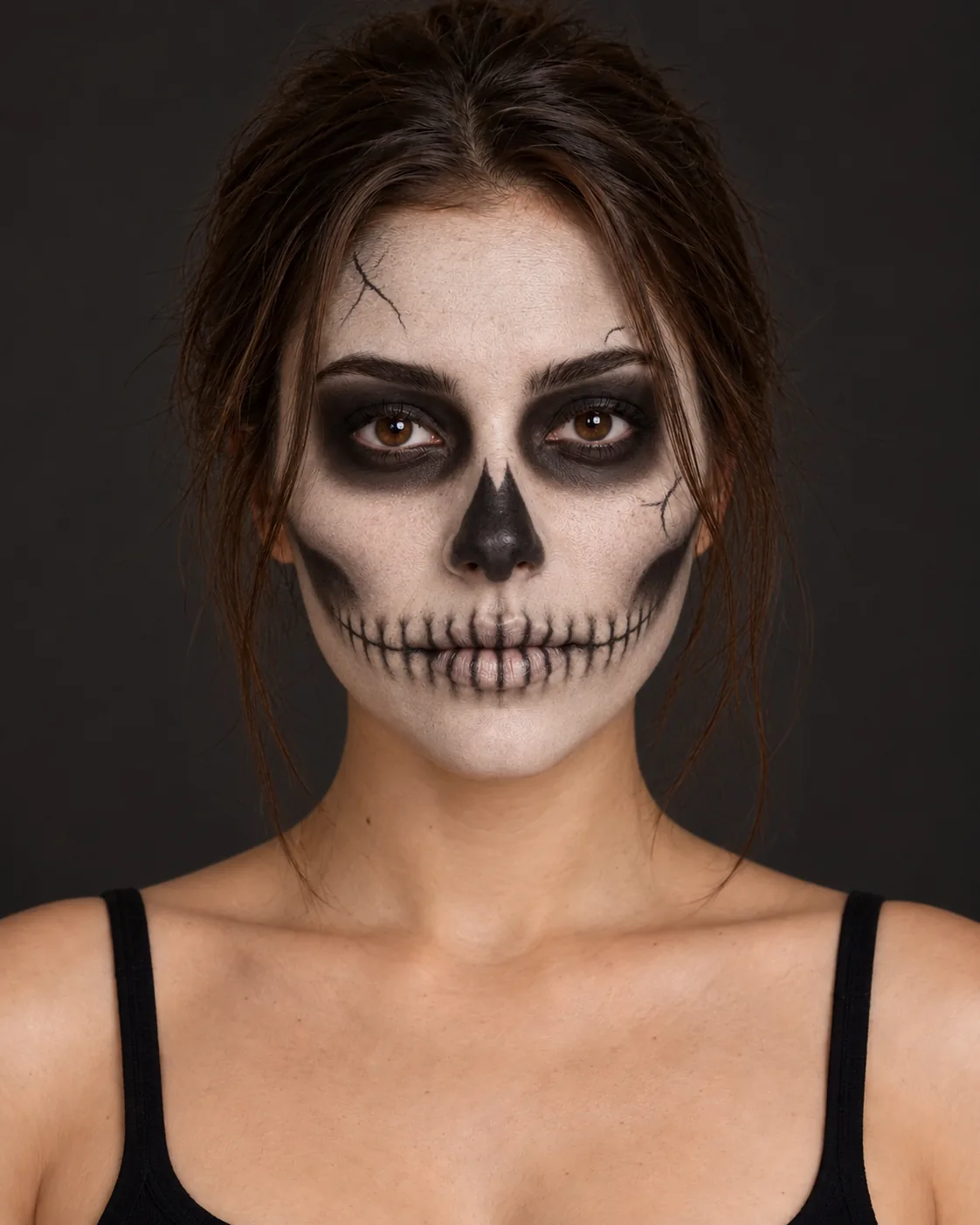
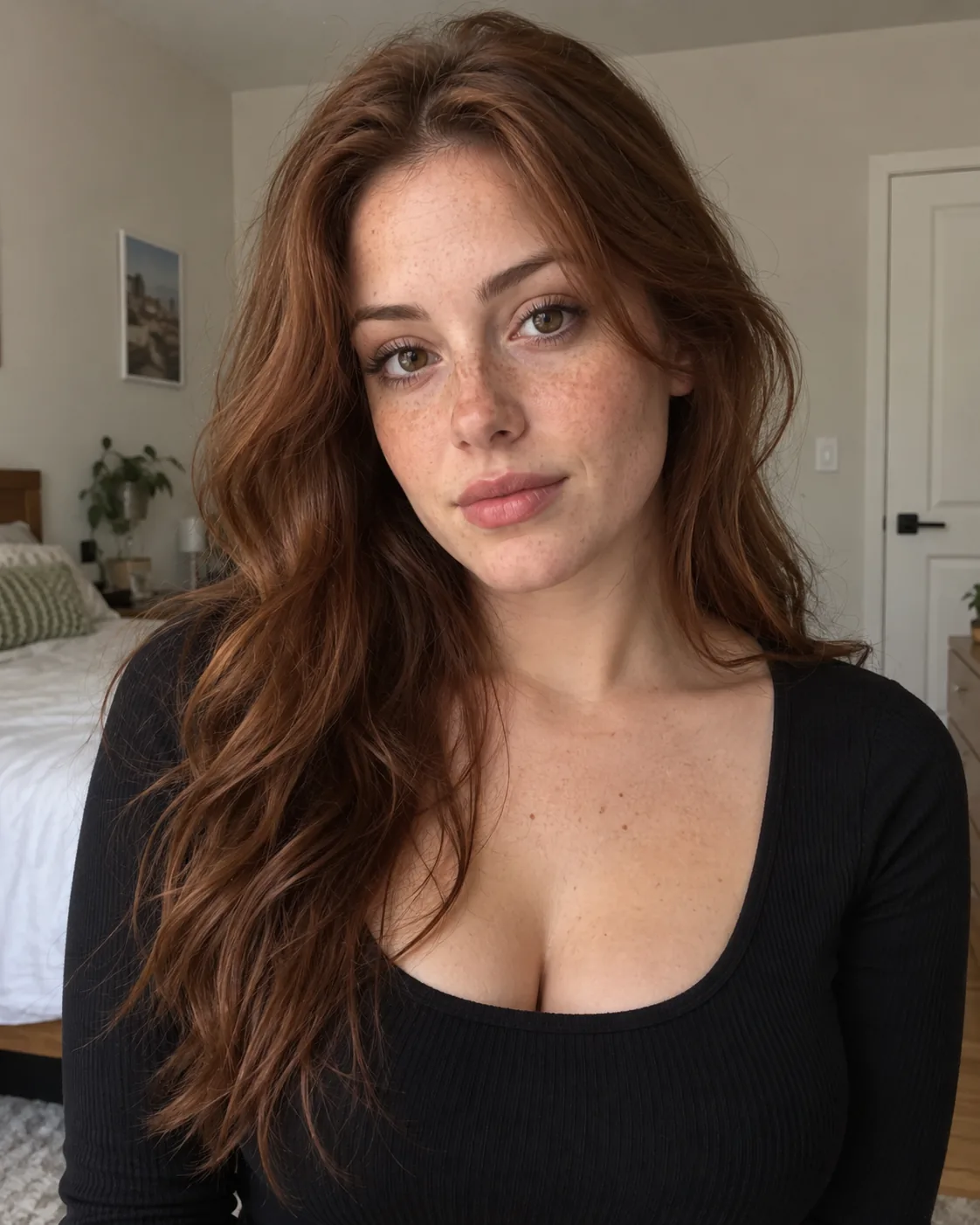
The people and the cat in the "before" photos are AI-generated, not real people or pets. Every "after" image is an AI edit made with the prompt beside it, tested in October 2026.
What's trending this Halloween
One of the most-shared looks this season is nostalgic horror, not gore. The Ghostface Y2K trend puts you in a dreamy, grainy early-2000s bedroom (satin bedding, a chunky phone, lamp light) while a masked figure watches from a dim doorway.
Classic costumes are still popular too: witches, vampires, Victorian ghosts and skeleton face paint. The difference now is that people want the result to look like them, not a stranger in a costume. Every prompt below is written with that in mind.
Before you start: pick the right selfie
- One face, clearly visible. Front-facing or slightly angled, no sunglasses, no hand over your face.
- Good, even light. Daylight from a window is ideal. Dark, noisy party photos give the AI less to work with.
- Not too close. Head and shoulders, with some space around you, gives the AI room to add costumes and scenes.
- Plain background is fine. The AI will replace it anyway.
Classic costume selfie prompts
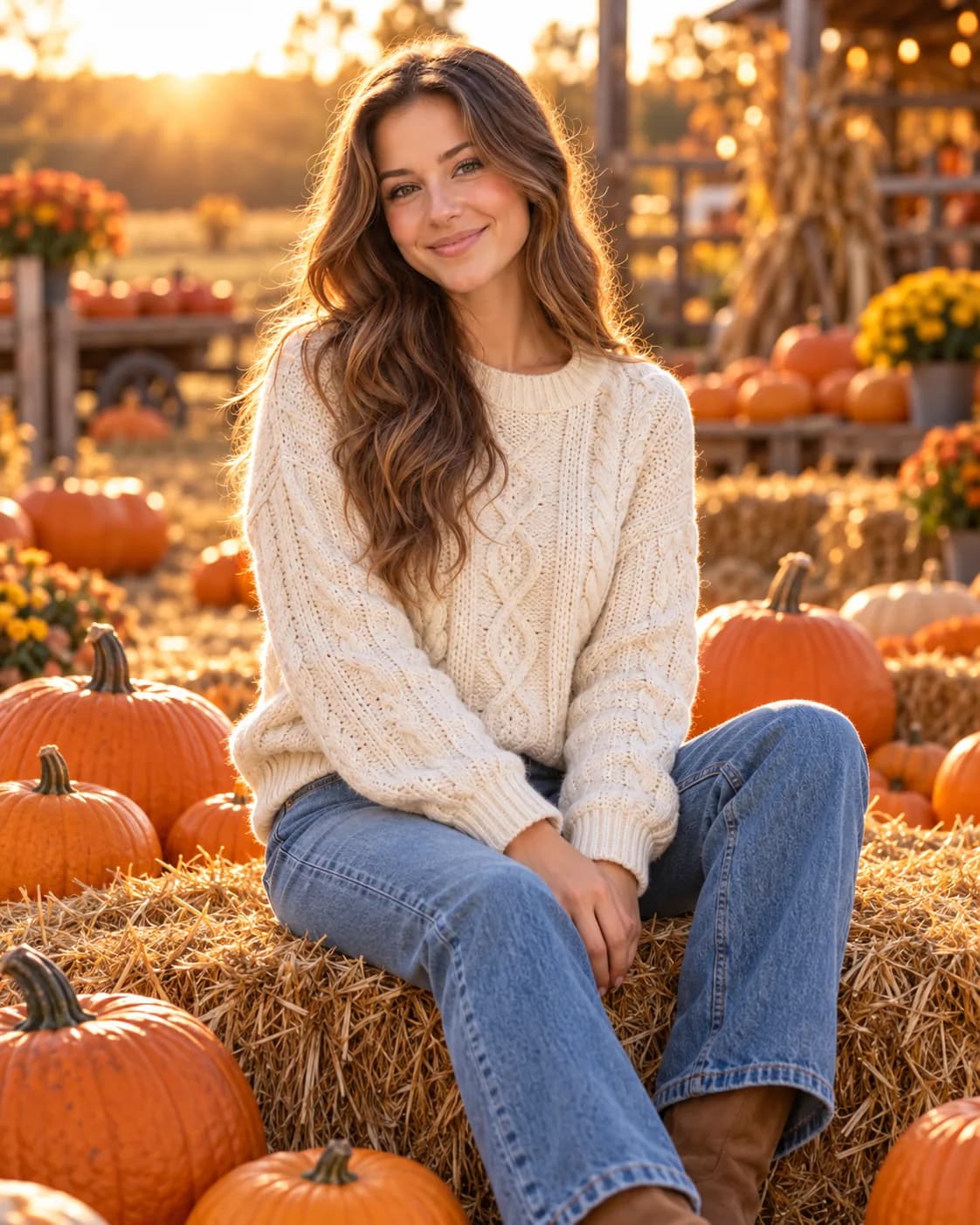
1. Pumpkin patch portrait (cozy, not scary)
For anyone who wants a Halloween post without horror.
Place me in a pumpkin patch at golden hour. Keep my face, hair and skin tone exactly as in the photo. Chunky cream knit sweater, sitting on a hay bale surrounded by pumpkins, warm low sunlight from behind, soft background blur, natural smile.
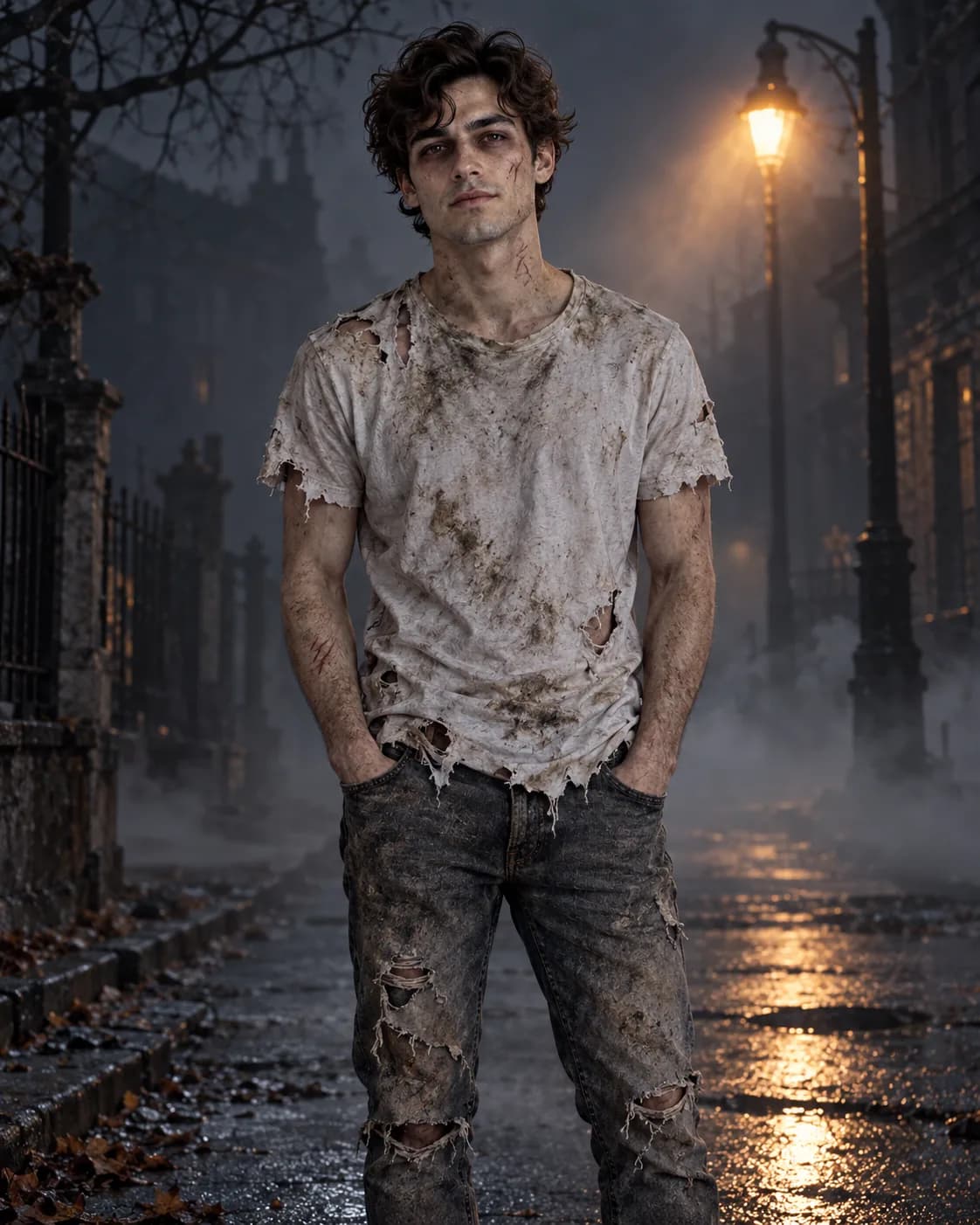
2. Zombie, but still you
Turn me into a zombie for a Halloween photo while keeping me recognizable: same face shape, eyes, hairline and features. Pale greyish skin, dark circles, a few light scratches, torn and dirty clothes. Foggy abandoned street at night, flickering streetlight. Keep it spooky but not gory: no blood or wounds.
3. Friendly witch with a glowing hand
Turn me into a friendly witch. Keep my face, hairstyle and skin tone exactly the same. Tall black pointed hat, dark green velvet dress, a soft green glow coming from one raised hand. Background: a cozy cottage kitchen with hanging herbs, jars and a bubbling cauldron, warm firelight.
4. Elegant gothic vampire (best in ChatGPT)
ChatGPT handles detailed wardrobe lists well, so this one is longer.
Using my uploaded selfie, create an elegant gothic vampire portrait. Preserve my exact face shape, eyes, nose, lips, skin tone and natural skin texture. Do not make me look like a different person.
Outfit: black velvet high-collar coat with a deep crimson silk lining, a vintage cameo brooch at the throat.
Details: pale complexion, subtle dark under-eye shadow, dark red lips, a faint glint of fangs only if my mouth is slightly open.
Setting: a candlelit gothic library, warm candlelight from the side, deep shadows.
Framing: chest-up portrait, 4:5, sharp focus on the eyes.
5. Quick pet costume prompt
Pets are half the fun of Halloween. Here's one to start with.
Put my pet in a simple, well-fitted pumpkin costume. Keep my pet's face, fur color, markings and eye color exactly the same. Sitting on a porch step next to glowing jack-o'-lanterns at dusk, warm porch light, shallow depth of field.
6. Skeleton face paint (makeup look, not a costume)
Good if you want a "real makeup" vibe instead of a full scene.
Add detailed skeleton face paint to my face in this photo. Keep my face shape, eyes, hair and expression exactly the same, only add the makeup. White base, black eye sockets, nose outline and stitched teeth drawn across my lips, fine cracks at the temples. Keep my real skin texture visible under the paint. Plain dark background, soft studio light.
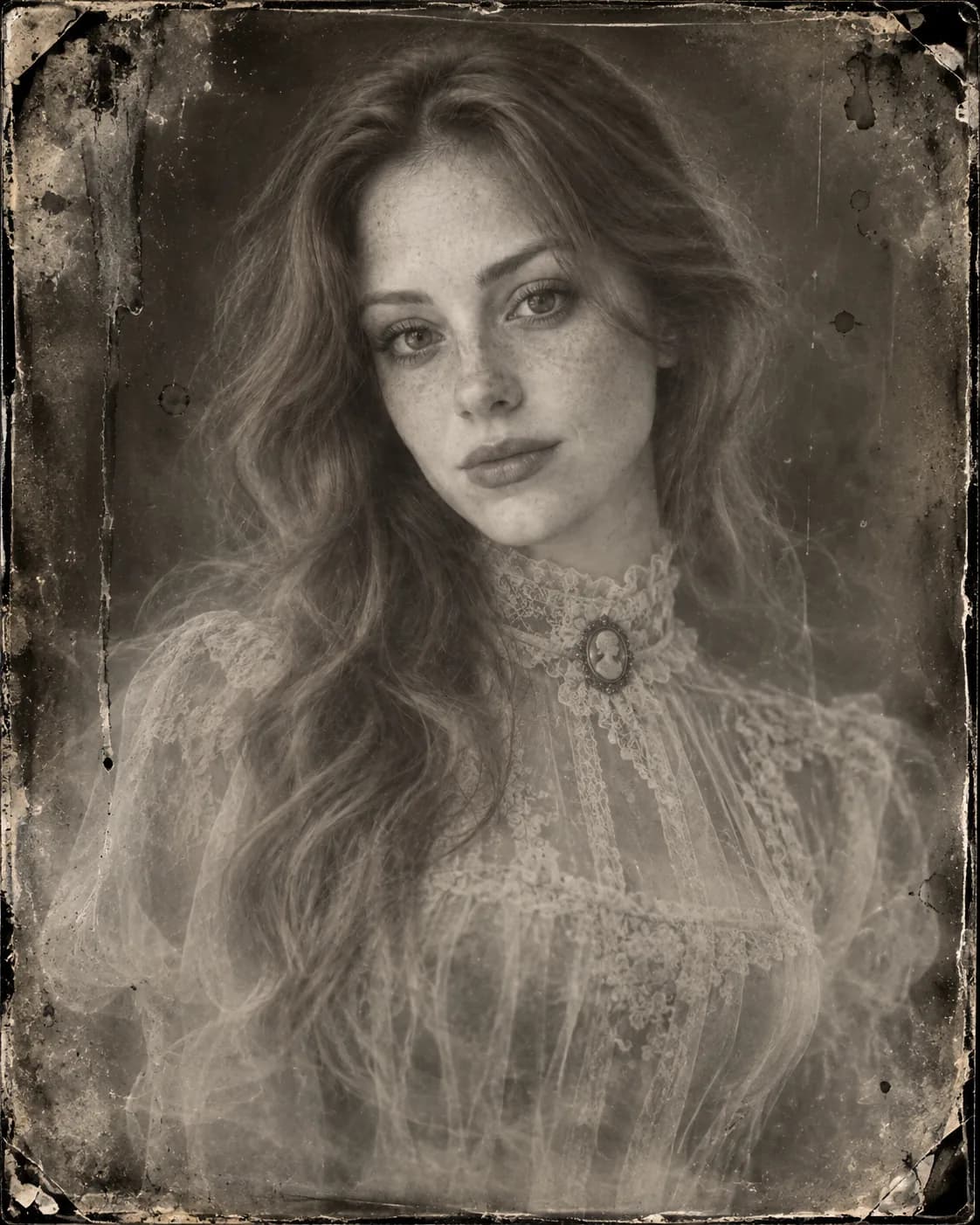
7. Victorian ghost
A Victorian ghost portrait is a classic Halloween look. This version keeps more of your likeness.
Transform me into a translucent Victorian ghost. Keep my facial features recognizable. High-collared Victorian clothing, pale ghostly skin, slightly see-through body. Keep my existing pose and framing. Black-and-white wet-plate photograph with streaks, stains and soft edges.
The Ghostface Y2K trend prompts
8. The classic Y2K bedroom scene (best in Gemini)
Turn my selfie into a dreamy early-2000s style photo. Keep my face, skin tone and hairstyle exactly the same. I'm lying on shiny pink satin bedding holding a chunky cordless phone, with butterfly clips in my hair and plain, text-free posters (abstract shapes, no people or logos) on the wall. Warm lamp light in a dark room, grainy film look. Behind me, a tall figure in a black hooded robe and a plain, featureless white mask stands in the dim hallway doorway, barely lit, watching.
9. The late-night phone call (more cinematic)
Using my uploaded photo, create a cinematic Y2K-era scene of me sitting on the edge of my bed at night, holding a corded landline phone to my ear with a worried expression. Preserve my exact face, features and skin tone. Warm bedside lamp, cool blue moonlight from the window, plain, text-free posters (abstract shapes, no people or logos) and fairy lights, visible film grain. In the dark doorway behind me, a masked figure in a black hooded robe stands still, mostly in shadow.
10. Ghostface version for men
The original trend was very "cozy-girl", so here's a version with a different setting.
Turn this photo into a grainy 2000s-style photo of me on a couch in a dim living room, holding a game controller, with a CRT TV glowing in front of me. Keep my face, beard or stubble, hairstyle and skin tone exactly the same. Hoodie and jeans, pizza box on the table, blue TV glow on my face. Behind me, at the end of the dark hallway, a figure in a black hooded robe and a plain, featureless white mask is barely visible.
Fix-up prompts
11. When the AI changes your face
Send this in the same chat, right after the result appears.
Keep the costume, background and lighting exactly as they are. Only fix my face so it matches the original uploaded photo: same eyes, nose, mouth, jawline and skin tone. Don't smooth my skin.
12. When the masked figure is missing or sitting on top of you
Keep me and the room exactly the same. Move the masked figure so it stands clearly behind me in the dark doorway, smaller and partly in shadow, not overlapping my face or body.
Tips for each tool
Gemini (Nano Banana 2)
- Where to find it: Open the Gemini app or gemini.google.com, choose Create images from the tools menu, attach your selfie, and paste the prompt.
- Keep it focused. Gemini works best with a few clear changes per message. If a prompt has a lot going on, do the costume first and the background in a follow-up.
- Fix in the same chat. "Only change X" follow-ups usually keep more of what you liked than starting a new chat.
- Paid plans: Google AI Pro and Ultra subscribers can choose Redo with Pro from the three-dot menu to rerun an image with Nano Banana Pro.
ChatGPT (Images 2.5)
- Detail works. ChatGPT handles longer prompts with separate lines for outfit, makeup, setting and framing (see Prompt 4).
- Comment on the problem spot. Images 2.5 lets you place a comment on one part of the image, for example "make the mask figure smaller", so you can fix one area without redoing everything.
- Build in steps. OpenAI says Images 2.5 keeps earlier changes more consistent across several edits, so it's fine to add details one round at a time.
Google Photos Remix
Last Halloween, Google added a Halloween option to the Remix feature in Google Photos. Check whether it's in your app this season. It's a quick, low-effort choice if you don't want to write prompts at all.
Common mistakes
- Naming a famous character and getting refused. Some tools block named film characters or very graphic horror. Describe the look instead ("black hooded robe, a plain, featureless white mask") and keep it non-gory.
- Cutting the "keep my face" line. It's the sentence that stops the AI inventing a new person. Leave it in every time.
- Using a dark party photo. Grain and blur in the original make the face harder to preserve. Start with a clear daytime selfie and add the darkness in the prompt.
- Saying "spooky" without saying why. Name a light source (a candle, a TV glow, moonlight, a single lamp). That's what creates the mood.
- Too many changes in one go. Costume, makeup, background, lighting and a second character all at once often means something gets dropped. Split it up.
- Waiting until Oct 31. Free plans have usage limits, and lots of people are editing that week. Make your images early.
FAQ
How do I do the Halloween AI photo trend?
Upload a clear selfie to Gemini or ChatGPT, paste a Halloween prompt that describes the costume, setting and lighting, and include a line telling it to keep your face the same. Then fix small details with follow-up messages.
What is the Ghostface AI trend?
It's a 2026 trend where you're placed in a grainy, dreamy early-2000s bedroom scene while a masked figure in a black hooded robe watches from a dark doorway behind you. Prompts 8–10 cover the classic bedroom scene, a late-night phone call, and a version for men.
Why is my Ghostface AI prompt not working?
Usually the tool is refusing a named film character or a horror element, or the figure lands in the wrong place. Describe the figure generically instead of naming it, keep the scene non-gory, and use Prompt 12 to move the figure into the doorway.
Which is better for Halloween selfies, Gemini or ChatGPT?
Both work. Gemini is usually strong at keeping your face, and it's quick for short prompts. ChatGPT is good with long, detailed costume descriptions. Try your favorite prompt in both and keep the better one.
Are Halloween AI prompts free to use?
The prompts on this page are free to copy. At the time of writing (October 2026), Gemini and ChatGPT both offer image editing on free plans with usage limits, and paid plans allow more generations.
More looks to try on AI Prompt Grid
- Love the flash-photo vibe? Try Y2K Digicam Party and After-Hours Polaroid.
- Moody, dark portraits: Midnight Glove Noir, Silver Rim Noir and Velvet Rose Noir.
- Become a comic-book character with Vintage Pulp Comic Hero.
- Group chaos for party night: Photo Booth Chaos.
- For pets: Cute 3D Toon Pet, Storybook Adventure Pet and Funny Everyday Pet, or browse all Pets styles.
- Browse Fantasy and Cinematic styles.
- More retro fun: 80s AI Photo Prompts for Couples, Families & Friends.
- New to prompts? Read How it works.
AI tools change often. If a prompt stops working the way it's described here, let us know through the contact page.