Cinematic AI Photo Prompt Free: Indie Film Portrait
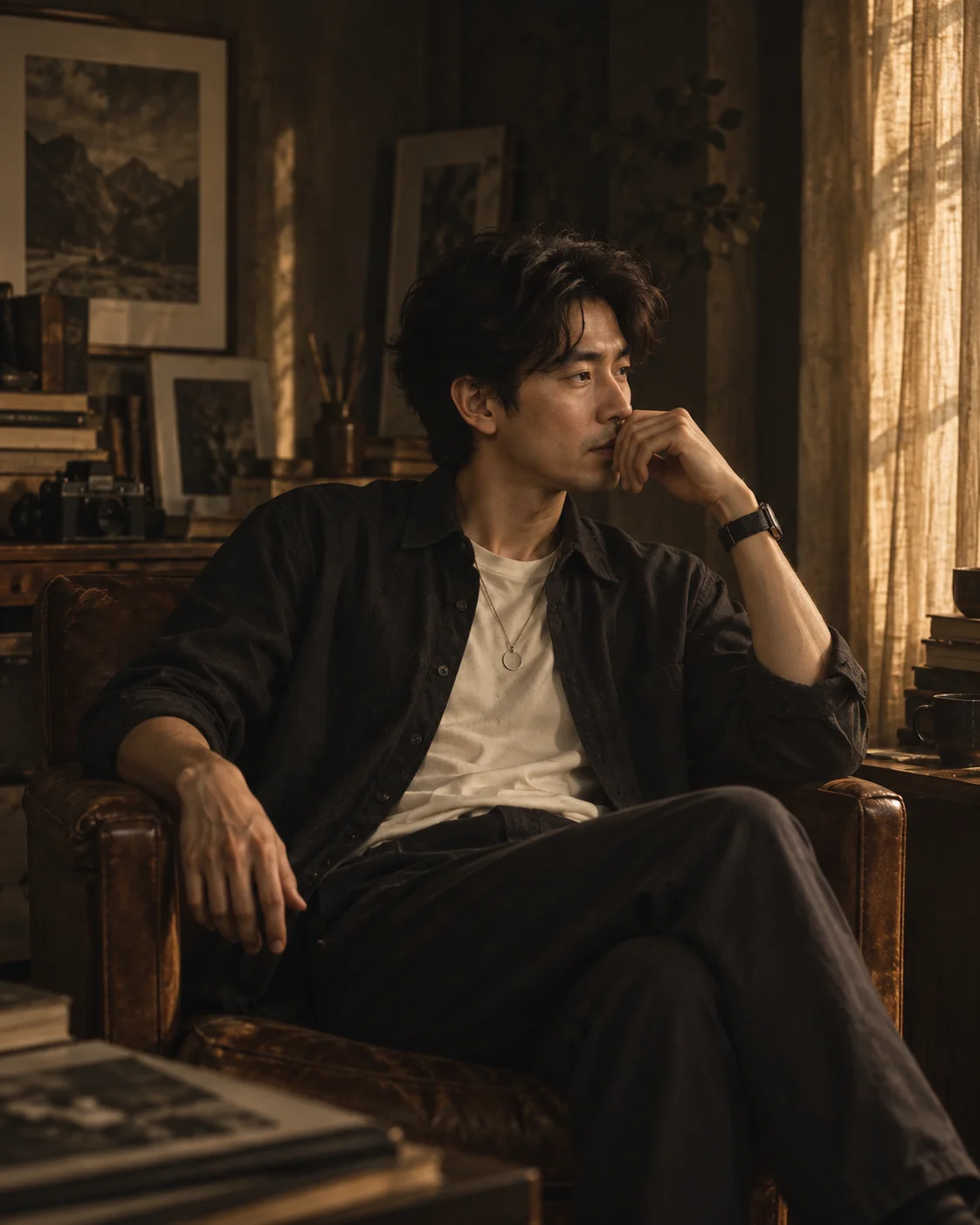
AI cinematic photo prompt free to copy: a quiet indie-film seated portrait with soft window light, keeping your face true. Works in Gemini.
Best forIndie-film seated portrait portfolio frames
Works withclear portrait that can crop to a seated three-quarter
Inputs: source photo (1)Verified 2026-09-23Prompt v1.0.0
Best source photo
What changes
What should stay recognizable
Limitations
- Hand-near-face pose may differ slightly from the source pose
- Window light direction can vary
Quiet indie-film seated portrait: muted espresso, charcoal and warm amber grade beside a textured window in a dim studio, with relaxed dark layers over a light shirt and your real face.
Tips for this look
- Use a clear portrait that can crop to a seated three-quarter; faces hidden by hands in the source can confuse the reflective hand-near-face pose.
- Leave clothing off for relaxed dark layers over a simple light shirt; preserve clothes only to keep your real wardrobe.
- If window light feels flashy, ask for filtered side light, gentle film grain and a quiet indie-film atmosphere.
- When skin goes orange, ask for muted espresso-charcoal-amber grading that keeps natural skin texture.
Optional add-on
Want an even quieter reading-room mood? Add: keep the seated indie-film pose, dark layers and textured window light, but soften the amber grade slightly—no fantasy props, no multi-panel collage.
FAQs
Is this a brightly lit studio beauty shot?
No. It is a dim artist-studio or reading-room portrait with soft window side light and muted cinematic colour.
Will my pose stay exactly the same?
Not necessarily. The look favours a calm seated frame with a reflective hand near the face when pose is not preserved.
Do I need a window photo already?
No. A clear portrait works; the textured window and quiet room are built in the edit.
Why do hands look wrong?
Ask for realistic hands resting near the face without covering both eyes, and keep face and hands crisp.