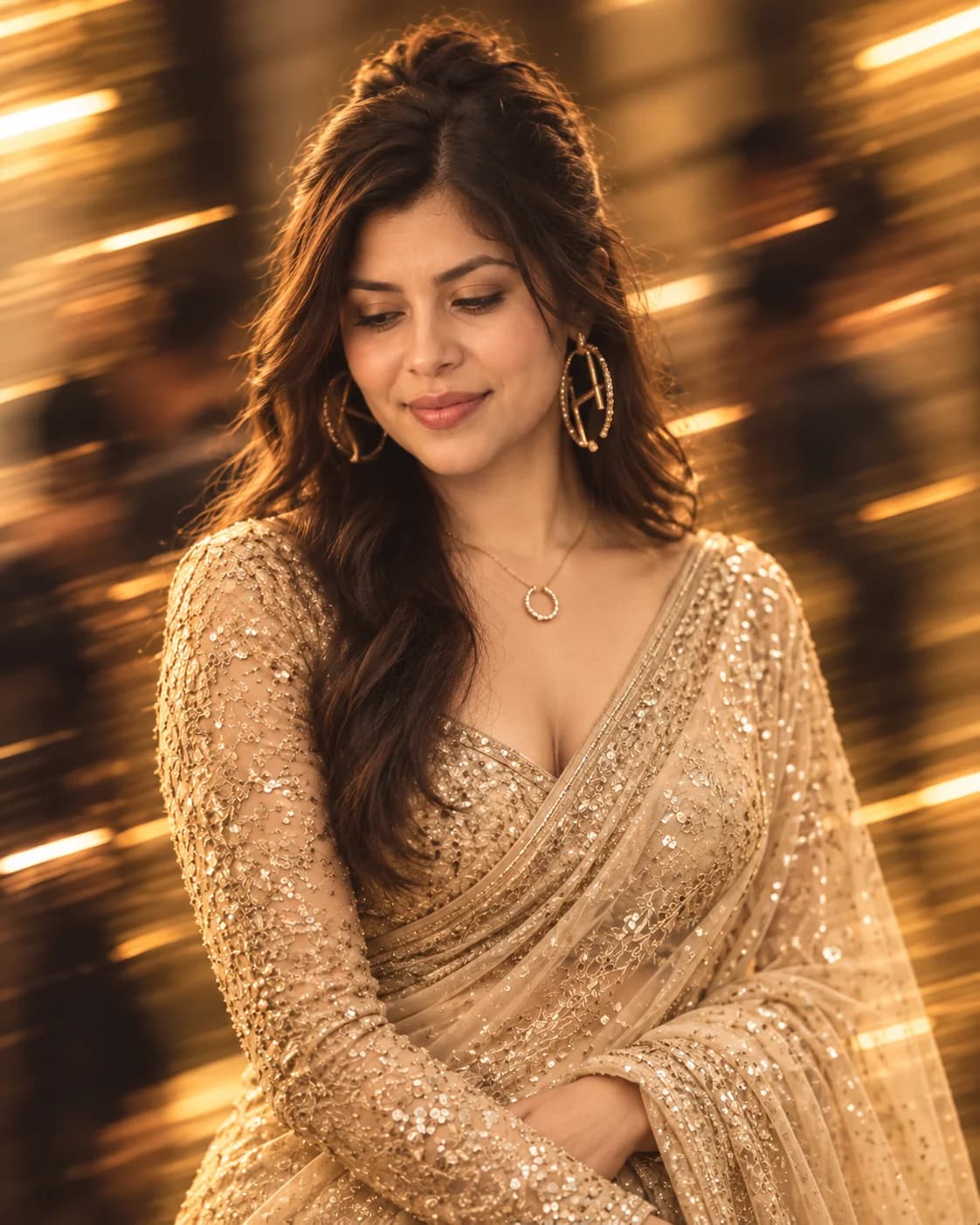
Wraps them in a sequined champagne-gold saree with oversized hoop earrings.
Pose
Sets a graceful three-quarter pose with eyes softly cast downward.
Background motion
Streaks a luxurious festive room with horizontal golden motion blur.
Color mood
Floods the portrait with warm cinematic golden amber event lighting.
What should stay recognizable
✓Face and identity
✓Facial features
✓Natural skin texture
✓Likeness
AI tools can still change small details. Review the final result before using it professionally.
Limitations
Outfit and pose change by design when toggles are off
Fine jewellery or collage detail may vary between runs
Champagne-gold sequined saree with motion-blur event lights: festive glam from one clear portrait, face kept sharp while golden streaks rush past.
Tips for this look
Use a sharp face-forward portrait; motion blur is for the festive background only, not your eyes or jewellery.
Ask for a champagne-gold sequined saree with fitted long-sleeve blouse and oversized gold hoops if embroidery smears.
If anonymous crowd shapes turn into clear strangers, request soft distant figures only with no readable faces.
Keep clothing off for the saree restyle; turn it on only if you must keep what you already wore.
Optional add-on
Want a quieter golden event glow? Add: keep the champagne-gold saree, sharp face, and horizontal light streaks, but soften the crowd shapes and ease rim light on the hair—no extra jewellery stacks or readable guest faces.
FAQs
Will my face also go blurry?+
No. Motion blur belongs on the festive background and light streaks; your face, eyes, and jewellery should stay crisp.
Do I need a saree photo already?+
No. A clear everyday portrait works; the champagne-gold saree builds when clothing is not preserved.
Is this an outdoor street look?+
No—it is an indoor festive event with glowing golden lights and reflective surfaces.
Can I keep my own jewellery?+
Turn clothing/jewellery preservation on, or ask to keep specific pieces while locking face and skin tone.