Home Office LinkedIn Photo Prompt for Gemini (Remote Work)
Home office LinkedIn photo prompt: a blurred desk and warm lamp light behind you, ideal for remote workers. Copy-paste free in Gemini, face kept.
Best forA polished remote-work LinkedIn profile photo
Works withone clear head-and-shoulders photo, front-facing
Inputs: source photo (1)Prompt v1.0.0
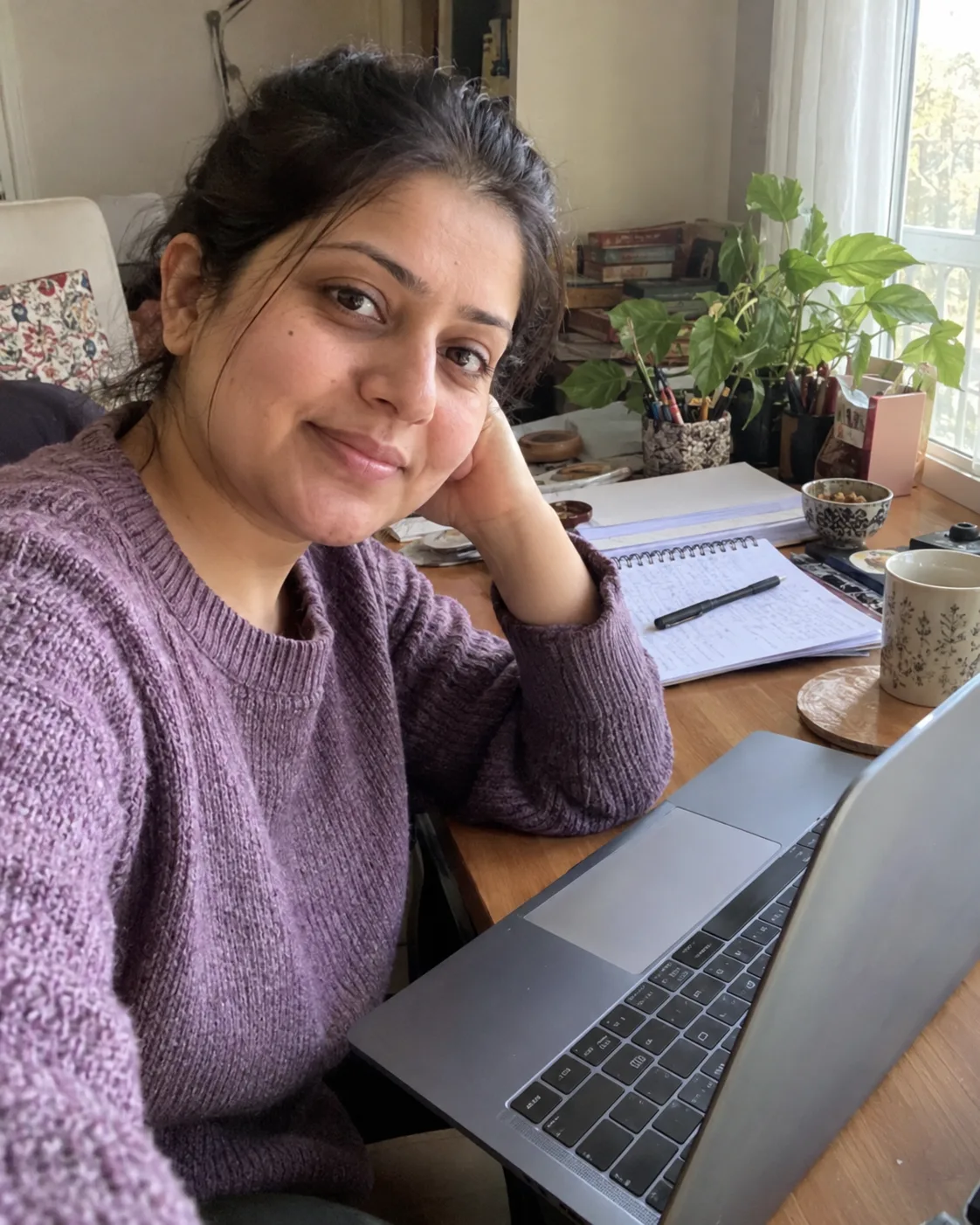
Best source photo
What changes
Blurred home office
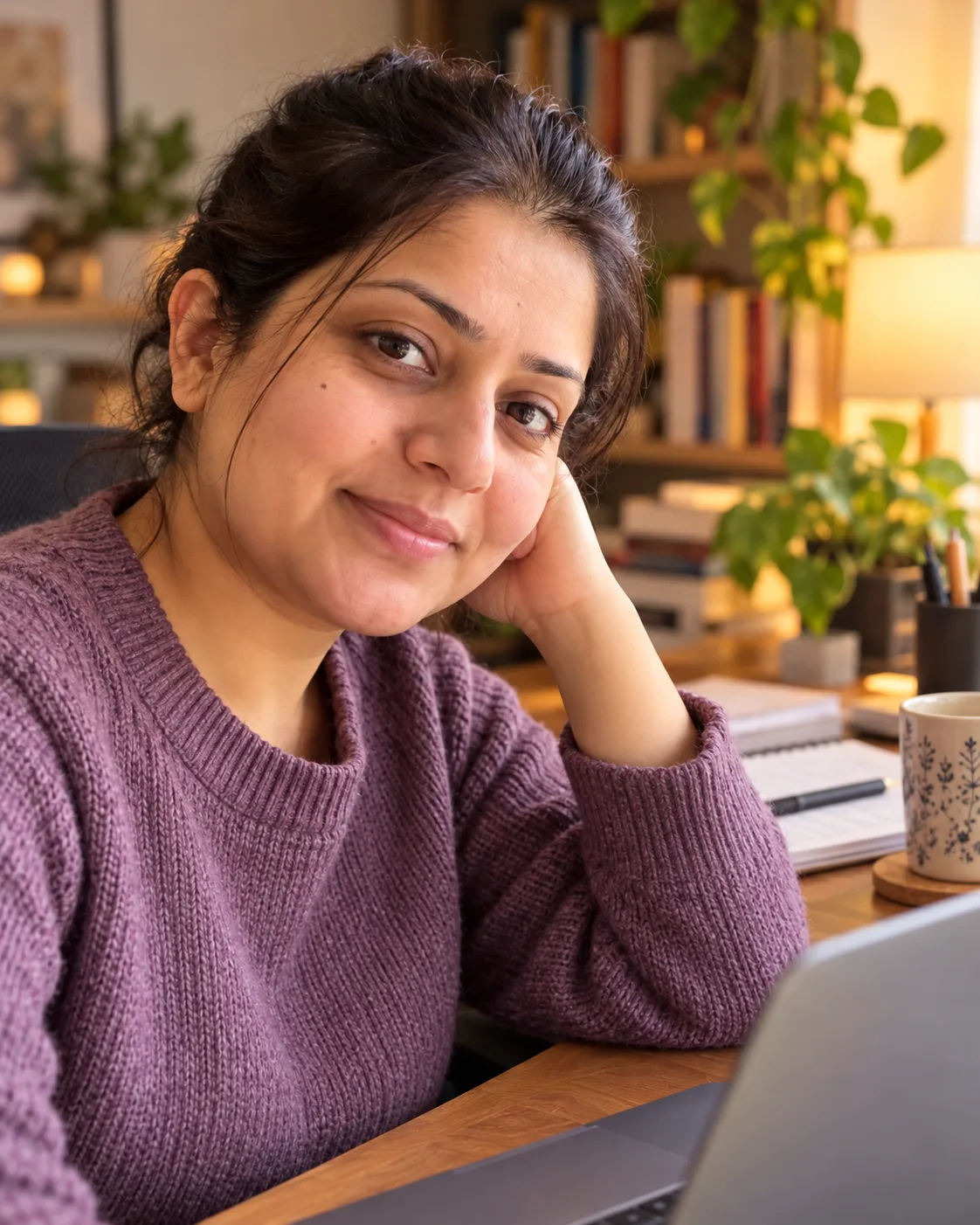
Puts a cozy blurred desk with laptop, mug, and lamp behind them.
Soft window and lamp light
Lights the face with soft window light and warm lamp atmosphere.
What should stay recognizable
Limitations
- Example people in the before photo are AI-generated, not real people.
- Heavy face occlusion can weaken identity fidelity
Remote-work LinkedIn headshot with a cozy home-office desk blurred behind you—laptop, coffee mug, notebook, warm lamp and soft greenery. Soft window light on the face; your own clothes stay.
Tips for this look
- Upload a clear front-facing head-and-shoulders photo with even light on the face.
- Clothing stays by default—a plain smart-casual shirt, sweater, or kurta photographs cleanest.
- If the desk goes sharp and distracting, ask to keep the home office well out of focus with soft window and lamp light.
- Ask for a warm natural smile without adding props in front of your face or shoulders.
Optional add-on
Want a tidier remote-work LinkedIn crop? Add: keep your own clothes, soft window light and blurred home-office desk, but simplify mug and notebook clutter in the bokeh—no neon RGB lights, no brand logos on screens.
FAQs
Do I need a photo taken at my desk?
No. Any clear headshot works; the blurred home-office desk and lamp light come from the prompt.
Will my clothes stay?
Yes by default. Turn clothing off only if you want a plain smart-casual restyle.
Why does the background look like a café?
Ask for a cozy home office desk with laptop, mug, notebook, warm lamp and soft greenery—kept out of focus.
Is this good for remote-job LinkedIn profiles?
Yes—it signals remote-friendly work without looking like a stiff studio passport crop.