Outdoor Natural Light LinkedIn Headshot Prompt (Gemini)
Professional headshot AI prompt free for outdoor light: blurred trees, late-afternoon glow and a warm smile from your selfie. Copy-paste in Gemini.
Best forA polished outdoor natural light for LinkedIn or CV
Works withone clear head-and-shoulders photo with a natural expression
Inputs: source photo (1)Prompt v1.0.0
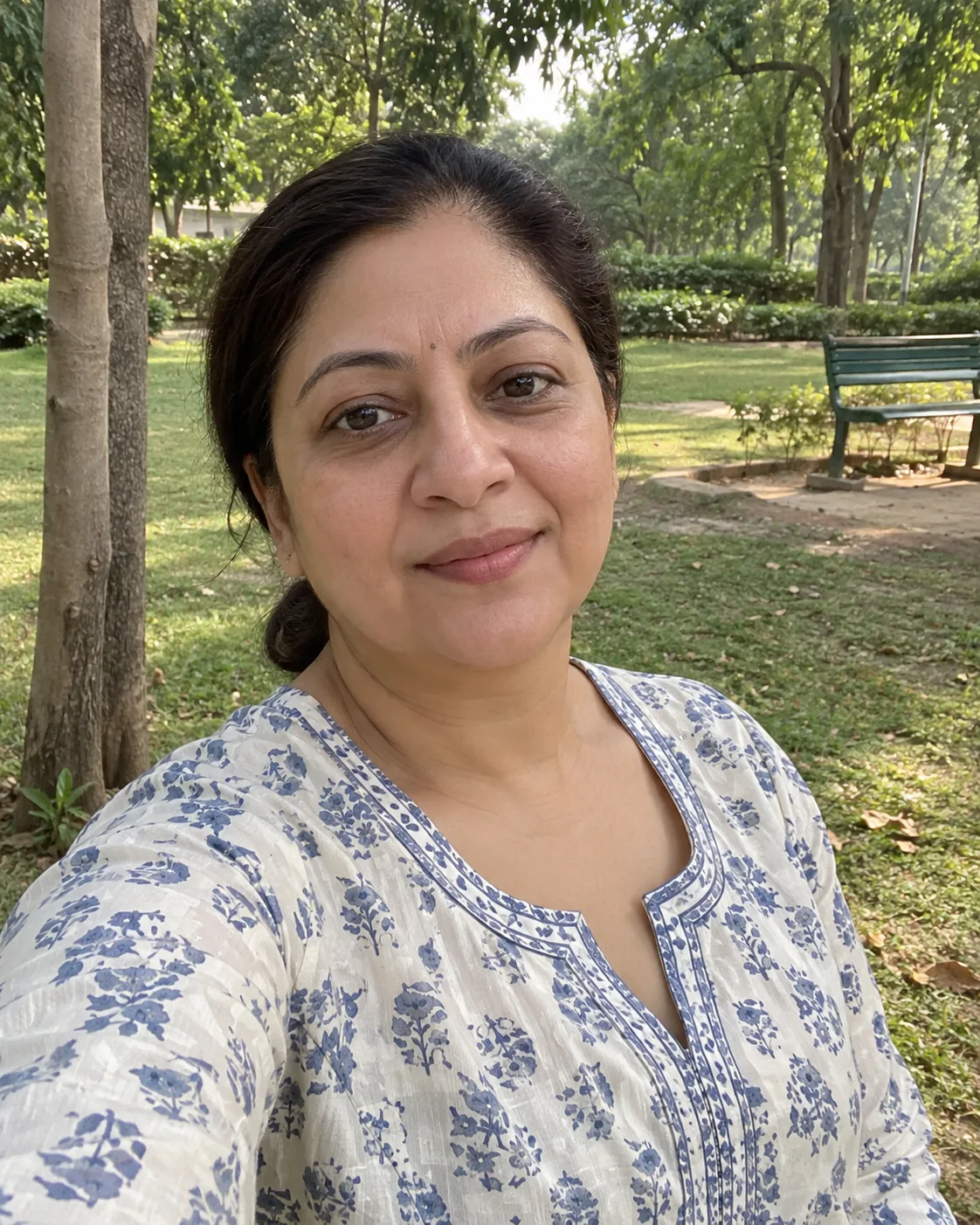
Best source photo
What changes
Blurred green trees
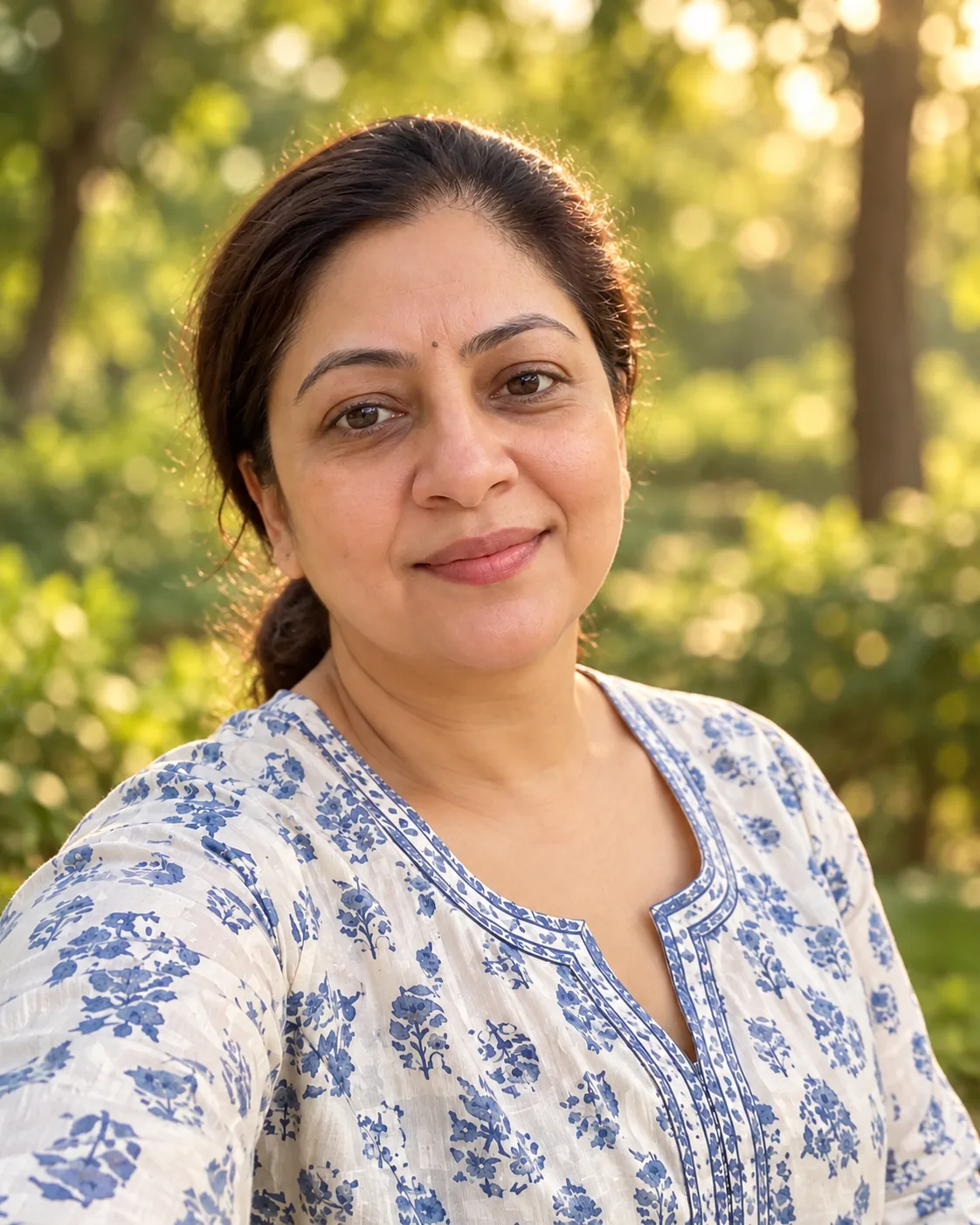
Sets softly blurred green trees behind an outdoor LinkedIn headshot.
Late-afternoon light
Wraps them in soft late-afternoon light with a warm natural smile.
What should stay recognizable
Limitations
- Example people in the before photo are AI-generated, not real people.
- Heavy face occlusion can weaken identity fidelity
Approachable LinkedIn headshot outdoors: softly blurred green trees, late-afternoon glow, warm natural smile. Your own clothes stay; soft warm natural light keeps the face friendly and sharp.
Tips for this look
- Upload a clear head-and-shoulders photo with a natural expression; soft daylight on the face beats harsh noon sun.
- Clothing is preserved—plain smart-casual colours photograph cleaner against green bokeh.
- If trees turn neon, ask for softly blurred green trees in late-afternoon light with shallow depth of field.
- Keep sunglasses off the source; ask for a warm natural smile without changing your mouth shape.
Optional add-on
Want a quieter park LinkedIn crop? Add: keep your own clothes, late-afternoon light and blurred green trees, but soften the smile a little—no city skylines, no festival crowds behind you.
FAQs
Must my photo already be outdoors?
No. An indoor portrait can work; the prompt adds blurred trees and late-afternoon light when pose is not preserved.
Will my outfit change?
Not by default—clothing stays. Off may restyle into a plain smart-casual shirt or kurta while locking your face.
Is outdoor light professional enough for LinkedIn?
Yes for approachable roles—soft late-afternoon light and a clean tree bokeh still read as polished.
Why does my skin look too orange?
Ask to keep exact skin tone under soft late-afternoon light with no heavy warm filter.