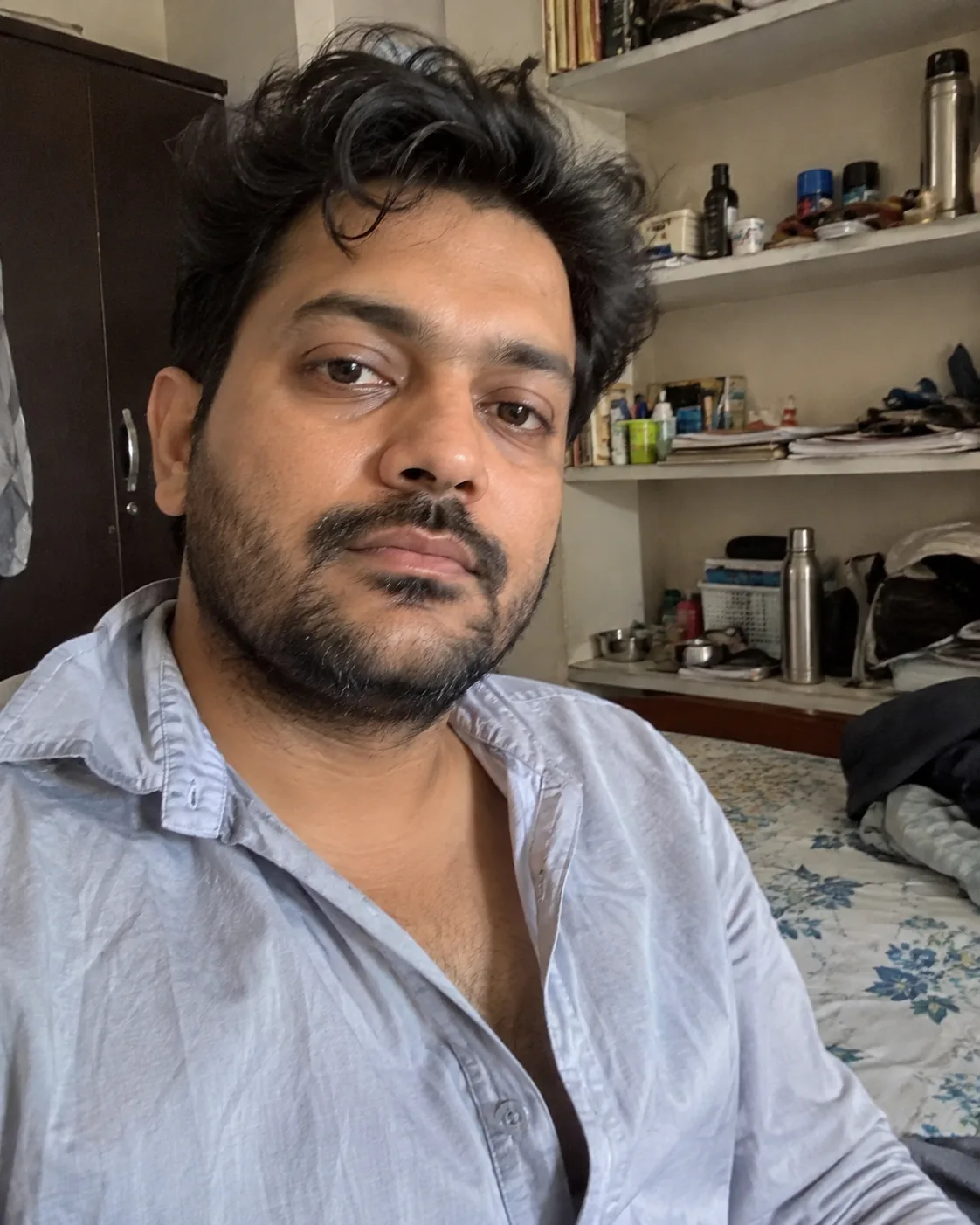
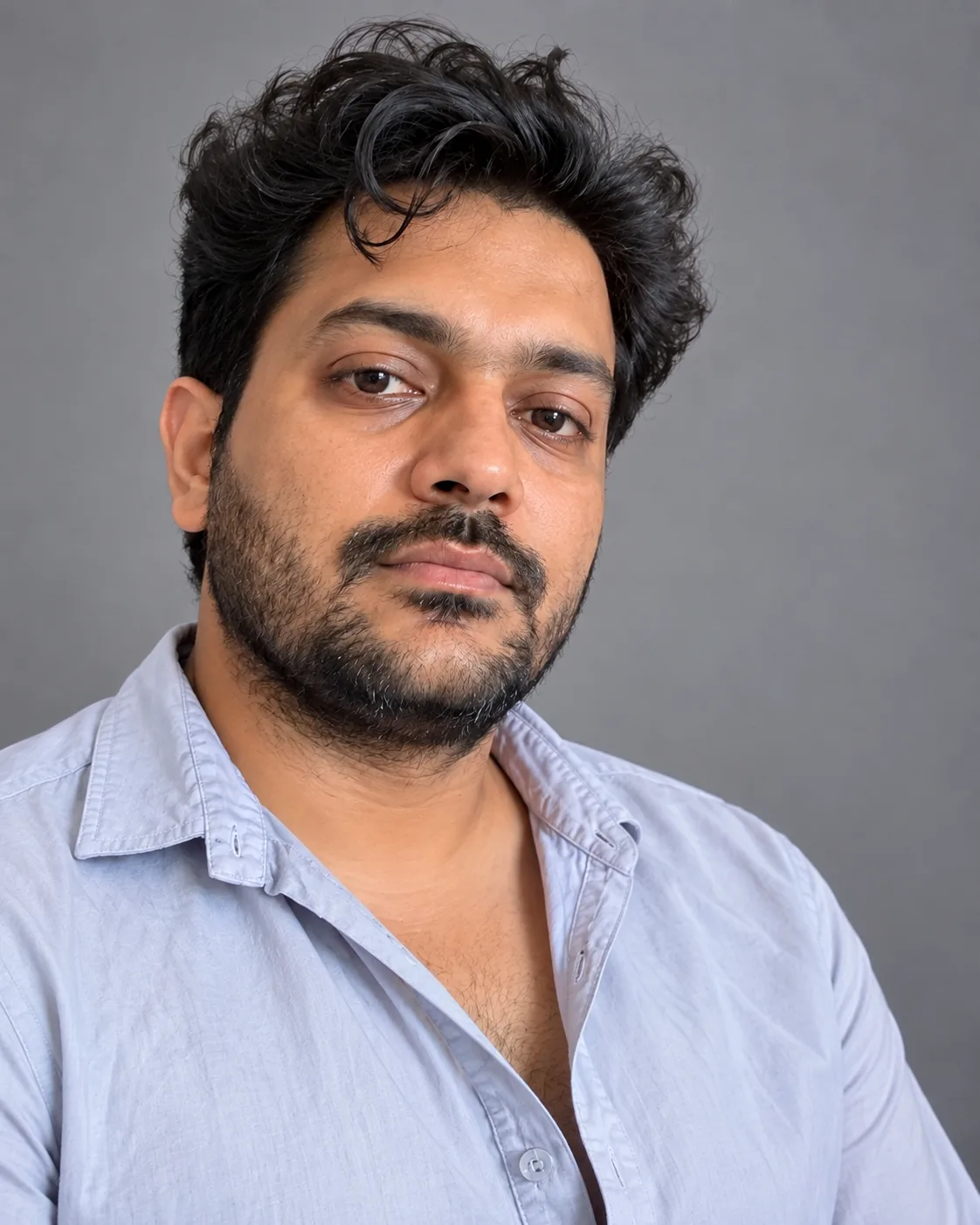
LinkedIn Photo Clean-Up AI Prompt for Gemini (Keep Outfit)
Linkedin profile picture prompt for ChatGPT or Gemini that only cleans up: plain grey backdrop, tidy hair, even light, your own outfit kept. Free.
Best forA polished minimal plain grey tidy even for LinkedIn or CV
Works witha photo you already like, head and shoulders, facing the camera
Inputs: source photo (1)Prompt v1.0.0
Best source photo
What changes
Plain soft grey backdrop
Swaps the background for a plain soft grey studio field only.
Evened-out lighting
Evens the lighting for a tidy professional headshot without retouch.
Stray hairs and lint removed
Tidies stray hairs and lint without changing makeup or face shape.
What should stay recognizable
Limitations
- Example people in the before photo are AI-generated, not real people.
- Heavy face occlusion can weaken identity fidelity
Minimal LinkedIn clean-up: plain soft grey studio, evened lighting, stray hairs and lint removed—your clothes and pose stay. Use a photo you already like; this tidies without a full restyle.
Tips for this look
- Upload a head-and-shoulders photo you already like, facing the camera, in an outfit you are happy with.
- Clothing and pose stay on by default—expect backdrop, light, and tidy-up only, not a new wardrobe.
- If skin gets plastic, ask for no skin smoothing, slimming, or makeup changes—only even light and lint removal.
- Simple source backgrounds replace more cleanly into the plain soft grey studio.
Optional add-on
Want an even lighter tidy-up? Add: keep your exact clothes, pose and face, but only even the light and clear stray hairs—no new blazer, no beauty filter, no colourful backdrop swap.
FAQs
Will my outfit change?
No by default—clothes and pose are preserved. The look mainly swaps to a plain soft grey backdrop and cleans small distractions.
Is this different from the navy blazer LinkedIn style?
Yes. Clean-up keeps what you wore and how you stood; blazer styles restyle clothing into a studio suit look.
Can it fix a blurry photo?
No. Start with a sharp original; this pass tidies light and backdrop, it does not invent missing detail.
Why did my pose change?
Pose should stay. Remind the model to preserve pose and only even lighting, grey backdrop, and stray-hair cleanup.