CV Photo AI Prompt for Resume Pictures (Gemini/ChatGPT)
Professional headshot AI prompt ChatGPT and Gemini can run for a CV: plain cream wall, your own clothes, slight smile. Copy-paste free.
Best forA clean CV resume headshot on a plain background
Works withone recent, front-facing head-and-shoulders photo
Inputs: source photo (1)Prompt v1.0.0
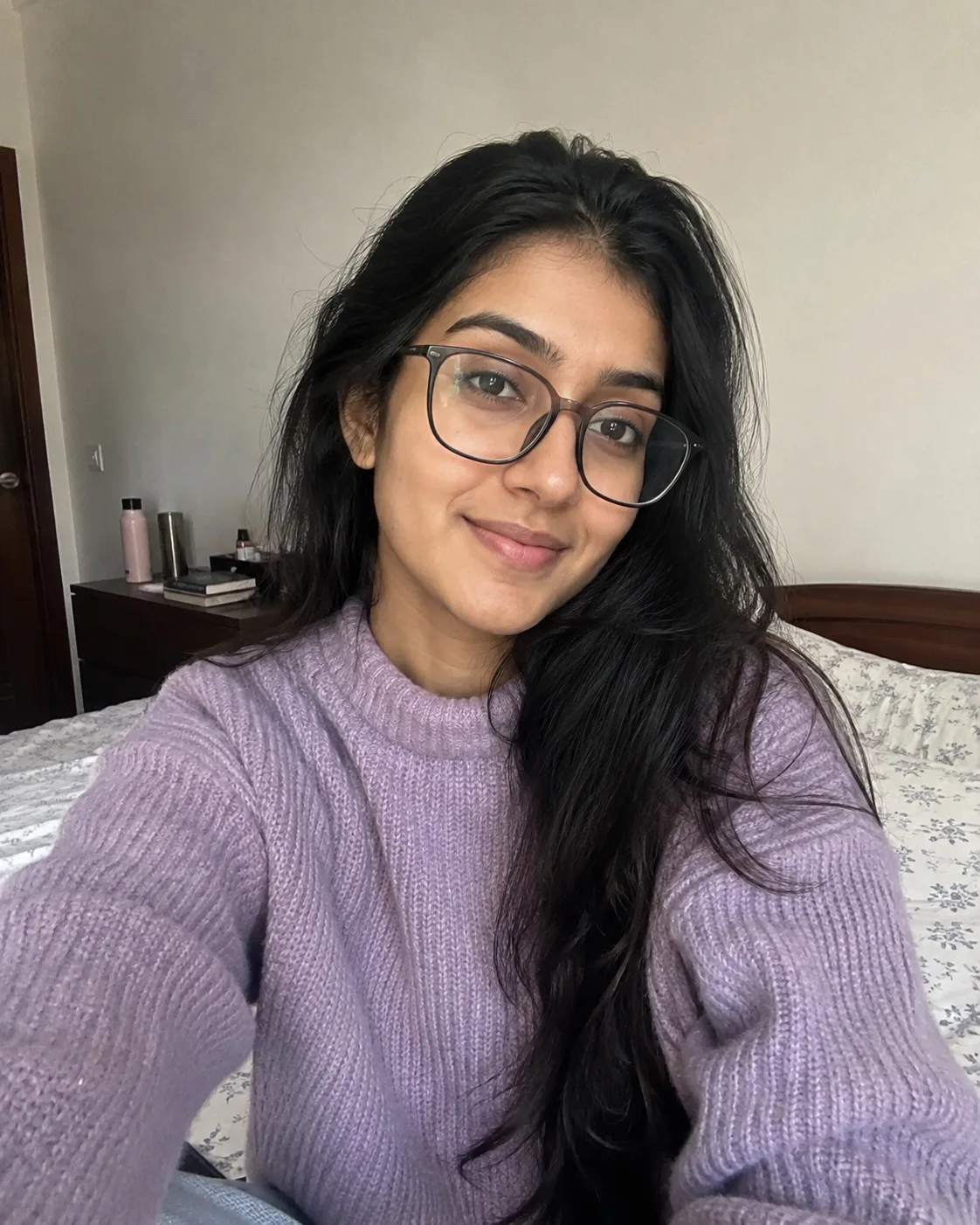
Best source photo
What changes
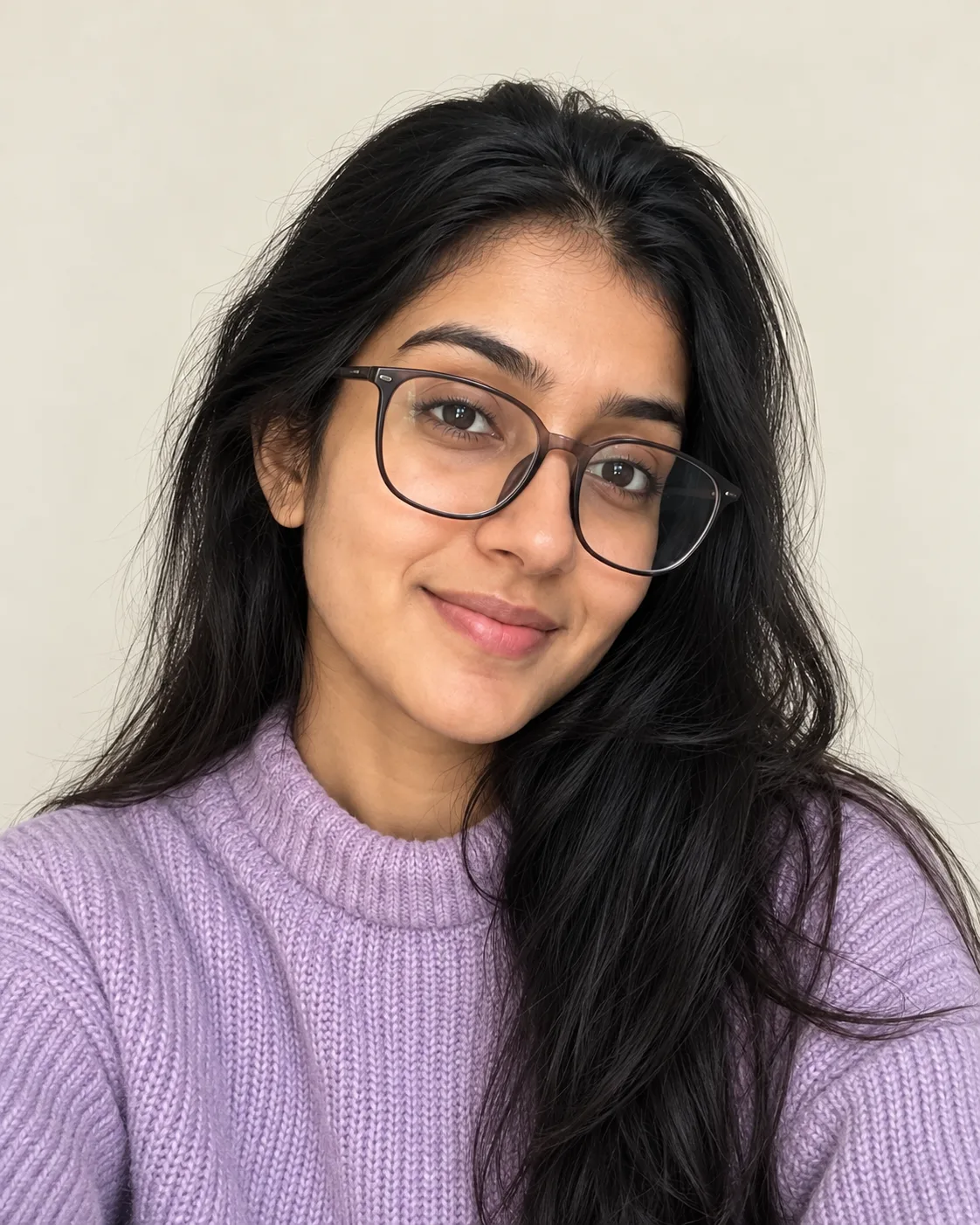
Plain cream wall
Replaces the background with a minimal cream wall for a CV photo.
Shadow-free even light
Evens the light so the face stays sharp with no cast shadows.
What should stay recognizable
Limitations
- Example people in the before photo are AI-generated, not real people.
- Heavy face occlusion can weaken identity fidelity
CV and resume headshot on a minimal cream wall: your own clothes kept, slight friendly smile, shadow-free even light. Ideal when forms want a clean plain-background photo without changing your outfit.
Tips for this look
- Upload a recent front-facing head-and-shoulders photo; facing the camera with no shadows across the face works best.
- Clothing stays by default—wear what you want on the CV before you shoot or upload.
- If shadows stick under the eyes, ask for soft even lighting and a plain cream wall with no texture patches.
- Keep a slight natural smile; ask for neutral if your target form forbids smiling.
Optional add-on
Want a stricter CV crop? Add: keep your own clothes and the plain cream wall, but use a smaller smile and tighter head-to-shoulders framing—no studio props, no coloured backdrops.
FAQs
Will my clothes change?
No by default—clothing is preserved. The prompt mainly swaps in a plain cream wall and even light.
Is this the same as a passport photo?
Similar idea, but this CV look allows a slight friendly smile and a cream wall rather than pure white.
Can I use a group photo?
No—use one person, front-facing, head and shoulders only so identity stays clear.
Why does the cream wall look yellow?
Ask for a minimal cream wall with bright neutral light and no warm colour cast on the face.